
Medication reminders on your iPhone, with a discreet mode
Peptimes sends one reminder for each dose on the schedule you enter, as a notification on your iPhone. If you'd rather your lock screen didn't name the compound or show an amount, discreet mode replaces the text with "You have a reminder" and "Open the app to see it."
You set the times, and the reminders follow them.
Reminders at your own times
In My Protocols you set a schedule for each compound you track: times per day, days of the week and a start date. Peptimes sends one reminder for each dose on that schedule. Tap the reminder to open Log a Dose.
Only compounds with a schedule get reminders. A compound you log by hand has no times to remind you about.
Reminders are local notifications: your iPhone delivers them itself, at the time you pick. The schedules they come from are stored on your iPhone with the rest of your health records.
Choose when the reminder arrives
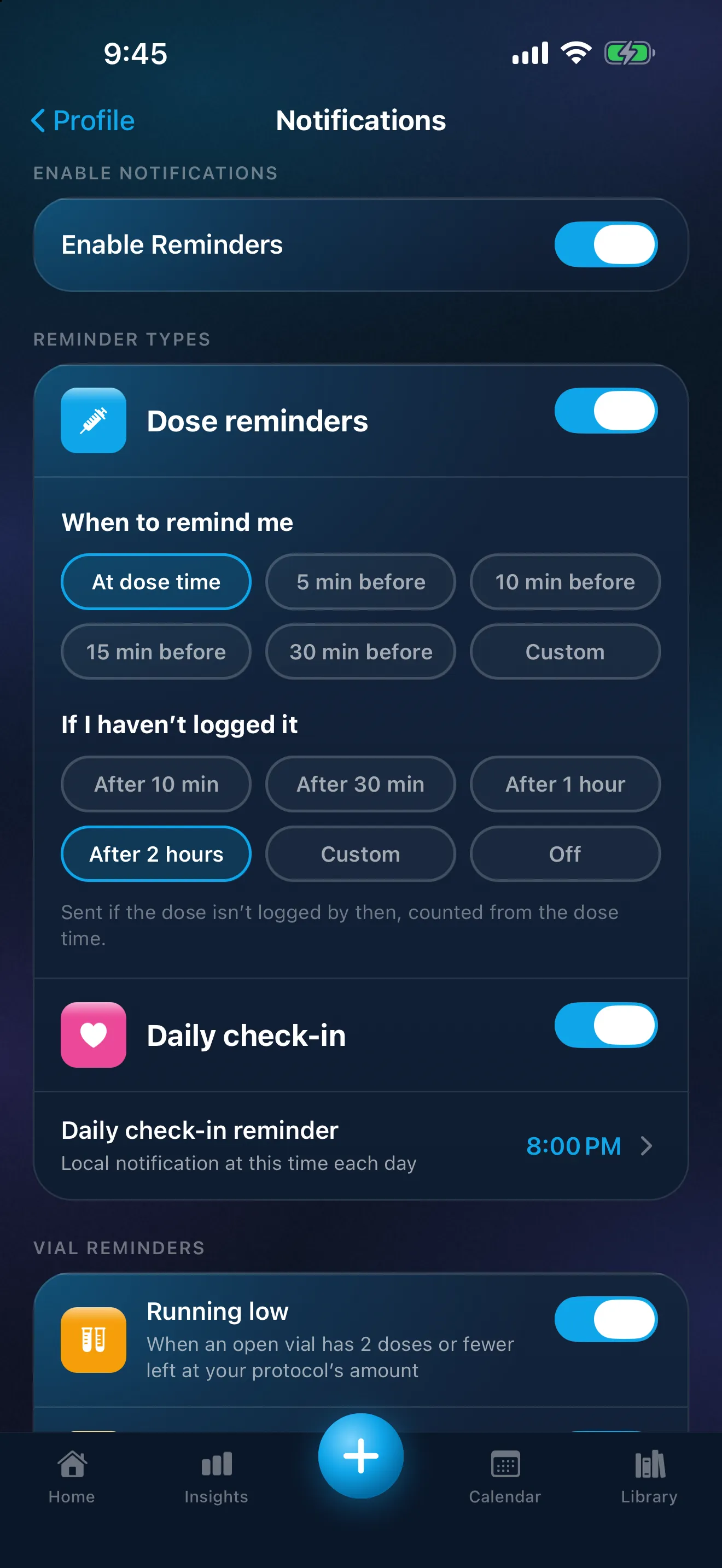
Under "When to remind me", choose the dose time (the standard) or a set number of minutes before it. It's one reminder per dose: choosing an earlier time moves it, and the time on your schedule doesn't change.
The choices are At dose time, 5 min before, 10 min before, 15 min before, 30 min before and Custom.The screen puts it simply: "One reminder for each dose, at the time you pick."
A "not logged yet" follow-up
Peptimes also sends a follow-up if you haven't logged a dose, 2 hours after the dose time as standard; you can change it or turn it off. Under "If I haven't logged it", the choices are After 10 min, After 30 min, After 1 hour, After 2 hours, Custom (15 minutes to 6 hours) and Off. With discreet mode off, the follow-up's title reads "Not logged" followed by the compound's name. The screen describes it as a second reminder, counted from the dose time, if the dose has no record by then.
The follow-up is a prompt to record what happened. It doesn't say what to do about a late or missed dose; that's a question for your prescriber. Reviewing your dose history covers how to record what happened.
Vial reminders
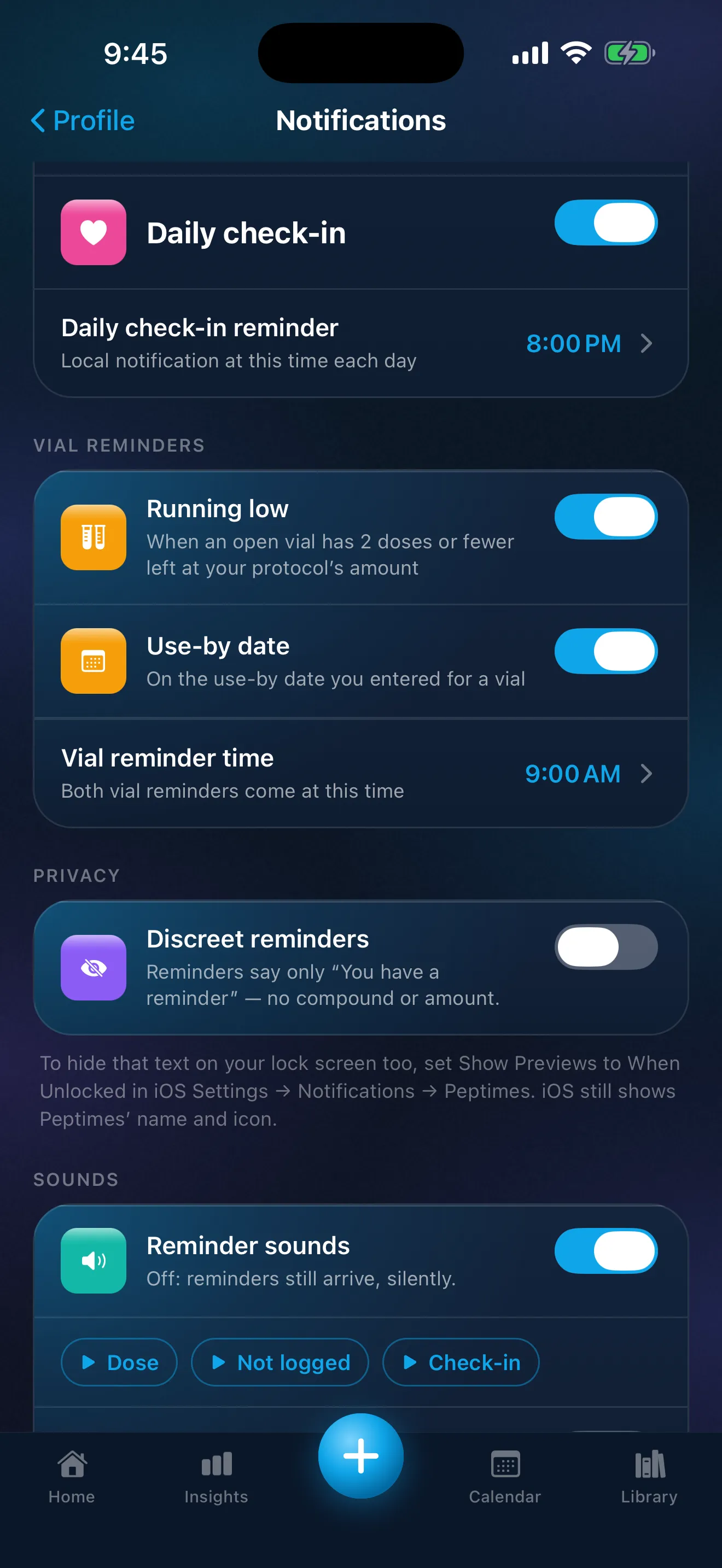
If you keep track of your vials and pens in Peptimes, two more reminders are there, both off unless you turn them on: "Running low", each day while an open vial has 2 doses or fewer left at the amount in your protocol for it, and "Use-by date", on the use-by date you entered. Both arrive at one time you choose, 9:00 AM as standard. Keeping track of your vials explains how what's left is worked out.
Discreet mode
Without discreet mode, a dose reminder names the compound and shows the amount you scheduled: its title reads "Time for your" followed by the compound's name, and its text shows the scheduled amount and says to tap to log. Depending on your iPhone's settings, that text can show on your lock screen. With discreet reminders on, dose reminders and "not logged yet" follow-ups show only "You have a reminder" and "Open the app to see it." No compound, no amount.
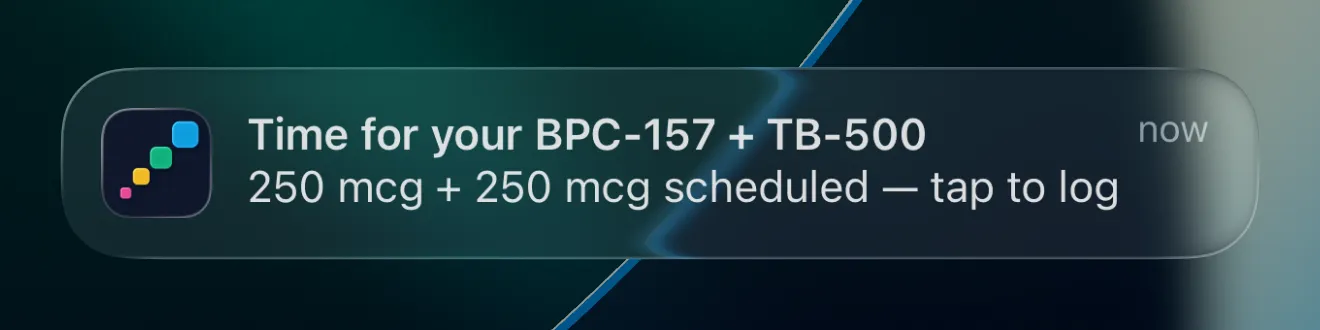
Sample data. The amounts are what a demo person entered, not advice.
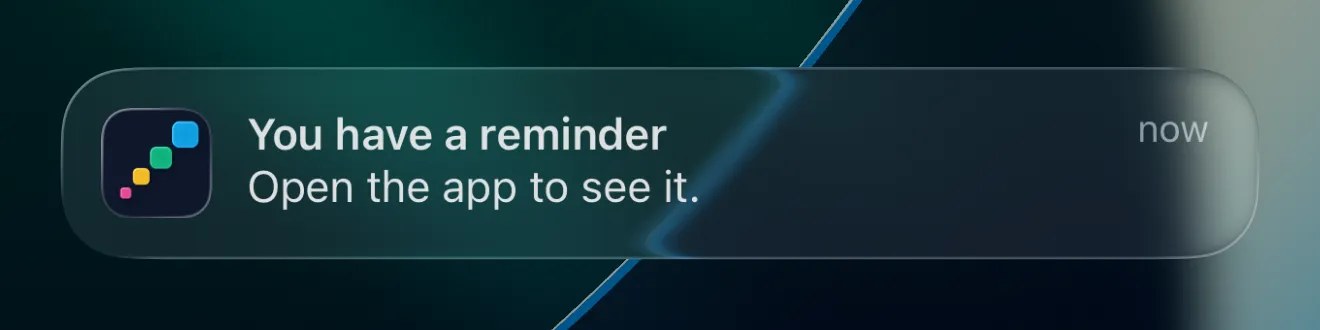
The notification still comes from Peptimes. Like any iPhone notification, it shows the app's name and icon. Discreet mode hides the compound and the amount, not the app.
Your iPhone has its own control too. In Settings, then Notifications, then Peptimes, Show Previews can be set to Always, When Unlocked or Never. Discreet reminders change the words in the notification; Show Previews changes when your iPhone displays them. You can use either or both. To hide even the discreet text, the Notifications screen in Peptimes points you to Show Previews: When Unlocked. Apple's guide, Change notification settings on iPhone, has the steps.
Where to find the settings
Open Profile, then Notifications. There you can turn reminders on or off, choose when reminders arrive, set the follow-up, and turn on discreet reminders. At the bottom of that screen, a preview shows exactly what your reminder will say, and the follow-up too if it's on, with your current settings.
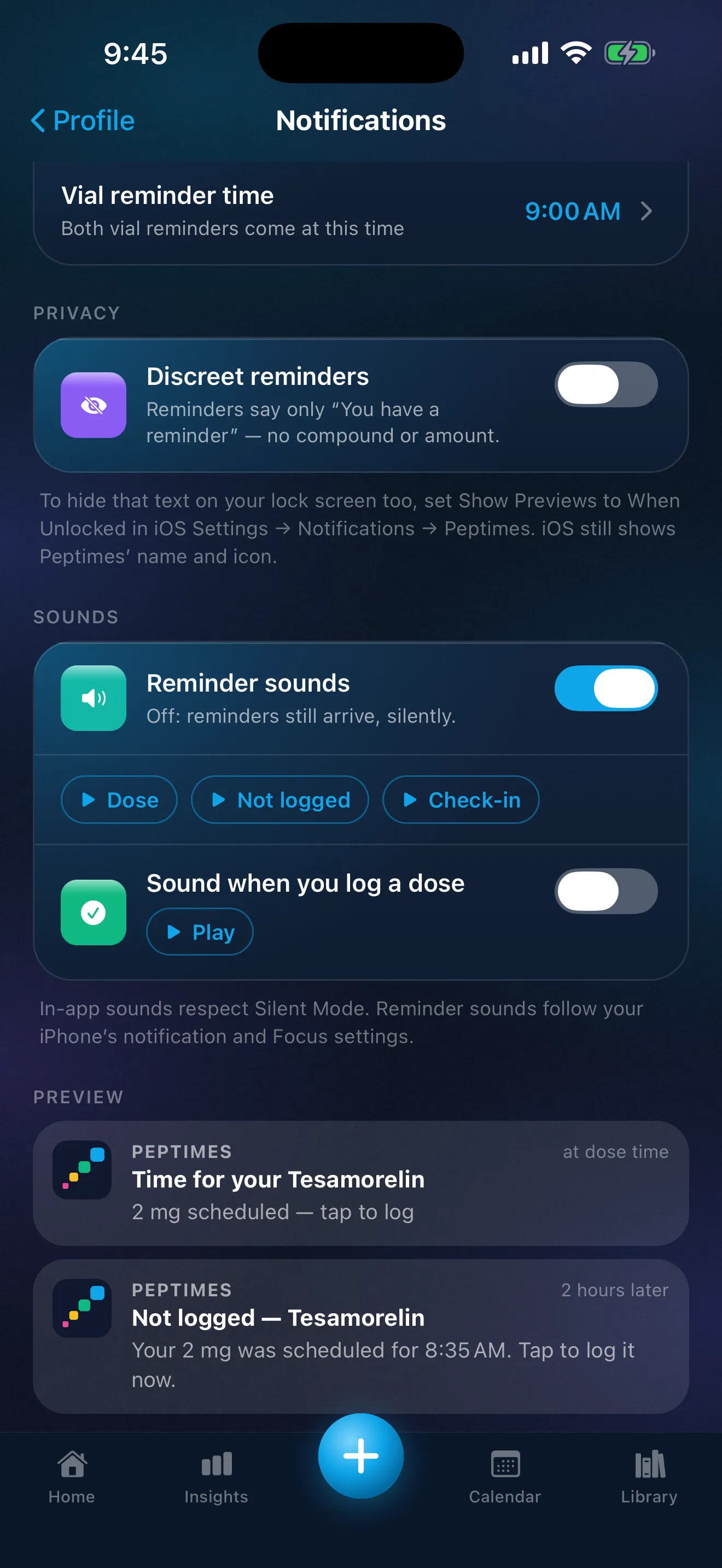
Sample data. The amounts are what a demo person entered, not advice.
Your next dose on your Home Screen
A Home Screen widget, small or medium, shows your next dose and today's progress. The small one shows the time, the name and a countdown, with how many of today's doses you've logged; the medium one adds up to three upcoming doses. It never shows an amount. Tap it to open Peptimes on today. It needs iOS 17 or later.
While your iPhone is locked, the widget shows nothing. With Discreet reminders on, it says "Dose" instead of names; with them off, the name shows on your Home Screen while your iPhone is unlocked. Profile, then Home Screen Widgets, shows how to add it.
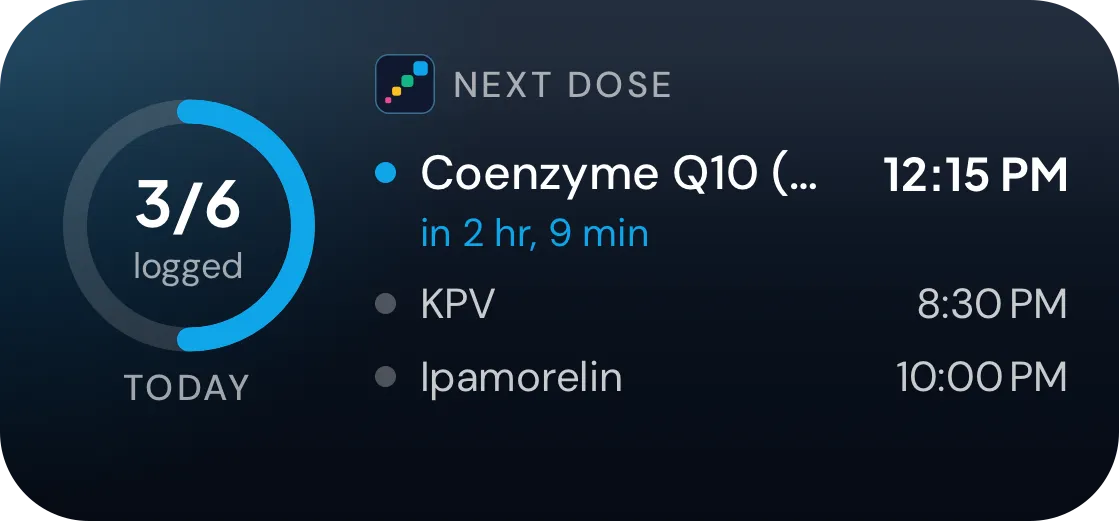
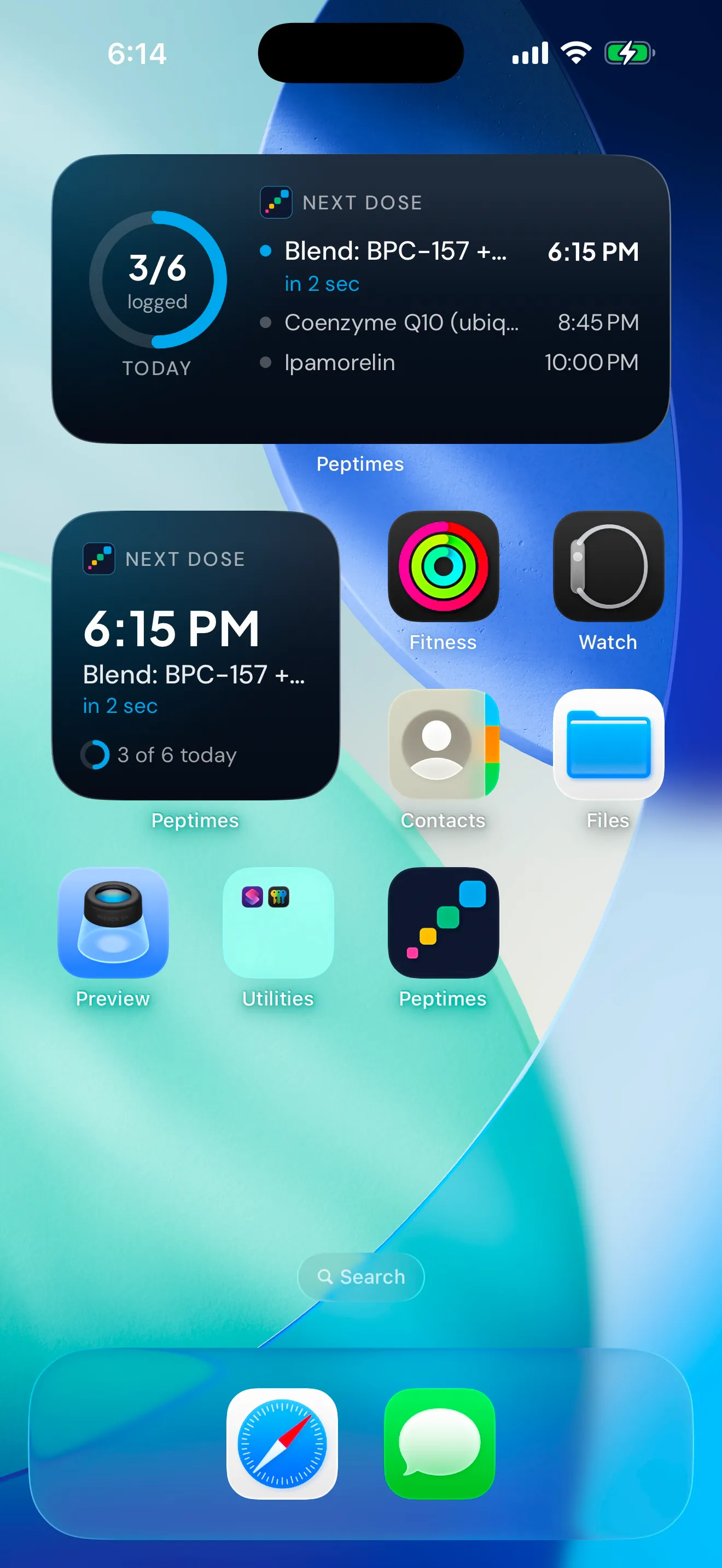
Sample data. The amounts are what a demo person entered, not advice.
A reminder for your daily check-in
A separate reminder can prompt your daily check-in at a time you choose, from the same Notifications screen. It isn't tied to any compound.
If a reminder doesn't arrive
Check that your iPhone allows notifications from Peptimes (Settings, then Notifications, then Peptimes), that Peptimes' own reminder switches are on, that the compound has a schedule, and that a Focus isn't holding notifications back. The Peptimes help center has the full checklist, and the guide to reminders for shift work and travel covers Focus and alarm settings.
What reminders don't do
- They don't recommend a schedule or an amount, and they don't change yours.
- There's no snooze.
- They're iPhone only. There's no Android app and no web app.
Where your records live
Your health records are stored on your iPhone, and your account (email and basic profile) is held by our sign-in provider. Your records may not come across to a new iPhone, so export a copy first. Read how Peptimes handles your data.
Price and availability
Coming soon to the App Store. Planned launch pricing: $9.99/month or $69.99/year, with a 14-day free trial. After the 14-day trial, Peptimes needs a subscription. See planned pricing.
FAQ
Can a reminder hide the name of my medication?
Yes. Discreet reminders show only "You have a reminder" and "Open the app to see it.", with no compound and no amount. Like any iPhone notification, a discreet reminder still shows Peptimes' name and icon.
If I choose to be reminded earlier, do I also get a reminder at the dose time?
No. Peptimes sends one reminder per dose, at the time you pick, so an earlier time moves it. The "not logged yet" follow-up is a separate notification that arrives only if the dose still has no record.
Do reminders tell me when to take a dose?
No. You enter your own schedule, and Peptimes reminds you about the doses on it. Questions about timing belong with your prescriber or a licensed clinician.
More on schedules: how to remember a weekly injection day, thedose calendar, and the peptide tracker app, GLP-1 tracker app and TRT tracker app pages.
Sources
- Peptimes, Help Center, "How reminders work" and "Reminders not arriving? Try these steps", checked 25 Oct 2026: where the settings are, what discreet mode covers, the troubleshooting checks.
- Apple, iPhone User Guide, "Change notification settings on iPhone", checked 25 Oct 2026: Show Previews options (Always, When Unlocked, Never), settable per app, and that a Focus delays the delivery of notifications.
Coming soon to the App Store
See planned pricing