
Your hair routine, in the same app as everything else you track.
Log what you use on your hair next to your peptides and GLP-1s: amounts for medicines and supplements, "Applied" for oils and shampoos, "Done" for sessions like microneedling. Hairline, top and crown photos stay on your iPhone.
Peptimes records what you do. It never suggests a routine, a product or an amount, and it doesn't sell anything. Talk to your doctor before starting or changing anything.
Log it the way you use it
Each item is logged in one of three ways, depending on what it is and the route you pick:
- An amount you type, in mg or mcg, for medicines and supplements.
- Applied, for oils, shampoos, serums, tonics, rinses and masks put on the skin. No amount is stored or shown.
- Done, for sessions such as microneedling or scalp massage. Treatments like microneedling are logged as sessions: no amount, just Done.
A compound you add yourself can also be saved as Applied or Done. Applied and Done items aren't linked to Vial Inventory, costed or added up.
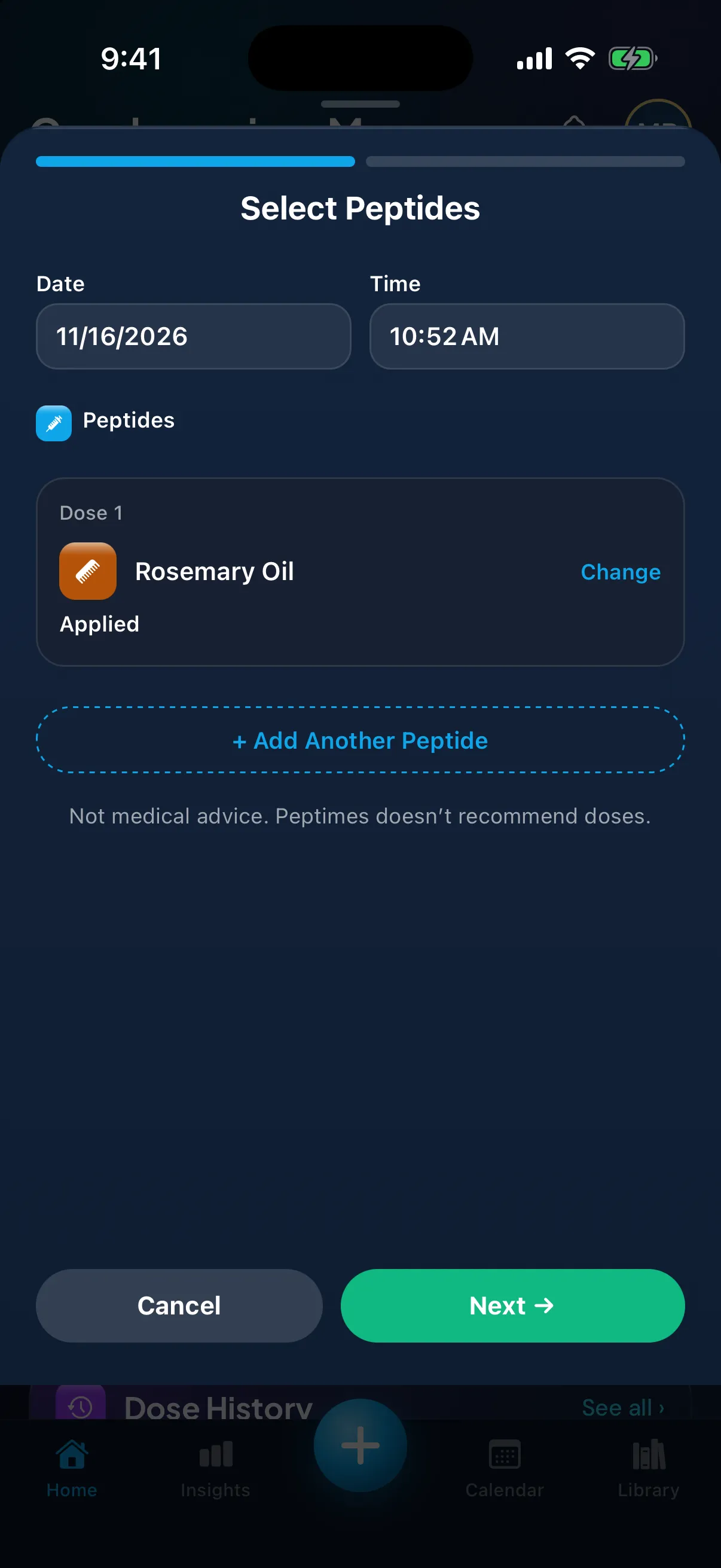
70+ hair products and treatments to track
The Library's Hair category has medicines, supplements, routine items and procedures. A few examples, with how each is logged and the status label its Library entry shows:
- Minoxidil: Logged with the amount you type, on the scalp or as a tablet. Library label: "FDA Approved".
- Dutasteride: Logged with the amount you type. Prescription medicine in the US; rules differ by country. Library label: "FDA Approved".
- Microneedling (scalp): Logged as a session: Done. Library label: "Not FDA-Approved".
- Scalp Massage: Logged as a session: Done. It's a routine, not a drug. Library label: "Not FDA-Approved".
- Finasteride: Logged with the amount you type. Prescription medicine in the US; rules differ by country. Library label: "FDA Approved".
- Rosemary Oil: Logged as Applied. Library label: "Not FDA-Approved".
- Ketoconazole (shampoo): Logged as Applied. Library label: "FDA Approved".
- Red Light / Laser Cap (LLLT): Logged as a session: Done. Cleared by the FDA as a device, which is different from approved. Library label: "FDA-Cleared".
- Saw Palmetto and Biotin: Logged with the amount you type. Library label: "Dietary Supplement".
A label describes the Library entry. It isn't a recommendation, and approval belongs to a specific product, route and use, so it can't describe the product you have. To read a label, see what FDA status means, and check your own product with your doctor or pharmacist.
Photos that line up
Add hair photos in three poses: Hairline, Top / part and Crown. When a slot is empty, it shows your last photo of that pose faintly, so the next one lines up. One photo per pose per day, filed by day, and a Compare page shows two dates side by side.
Add them in Body Profile → Photos, with the daily check-in, or as the last step when you log a hair item. On Insights, your photos stay blurred until you tap to show them. They stay on your iPhone, can be included in backups you make, and aren't in Export or the Doctor report.
Note how you feel
If you pick the Hair Health goal, or a hair item is in your schedule, the daily check-in adds four chips you can tap: Hair Shedding, Scalp Irritation, Libido and Body Hair. They're notes you choose; Peptimes doesn't detect them or link them to anything you log.
The Hair Health card on My Goals counts what you noted: the days you noted Hair Shedding, your most-noted other side effect and your mood. It doesn't score, predict or judge.
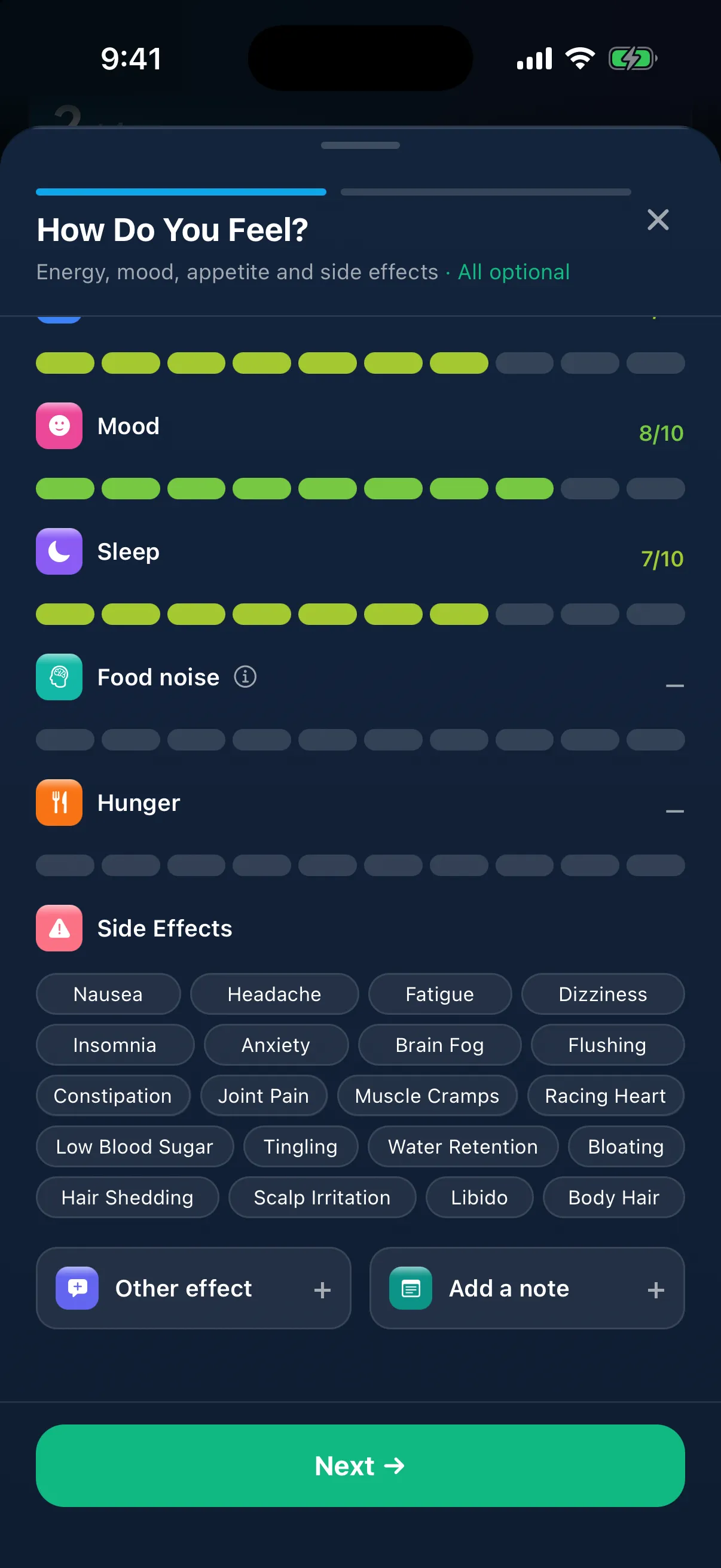
One history for everything
Hair items sit in Dose History and the Calendar beside your peptides and GLP-1s, shown as Applied, Done or the amount you typed. Schedule them like anything else, with reminders at your times.
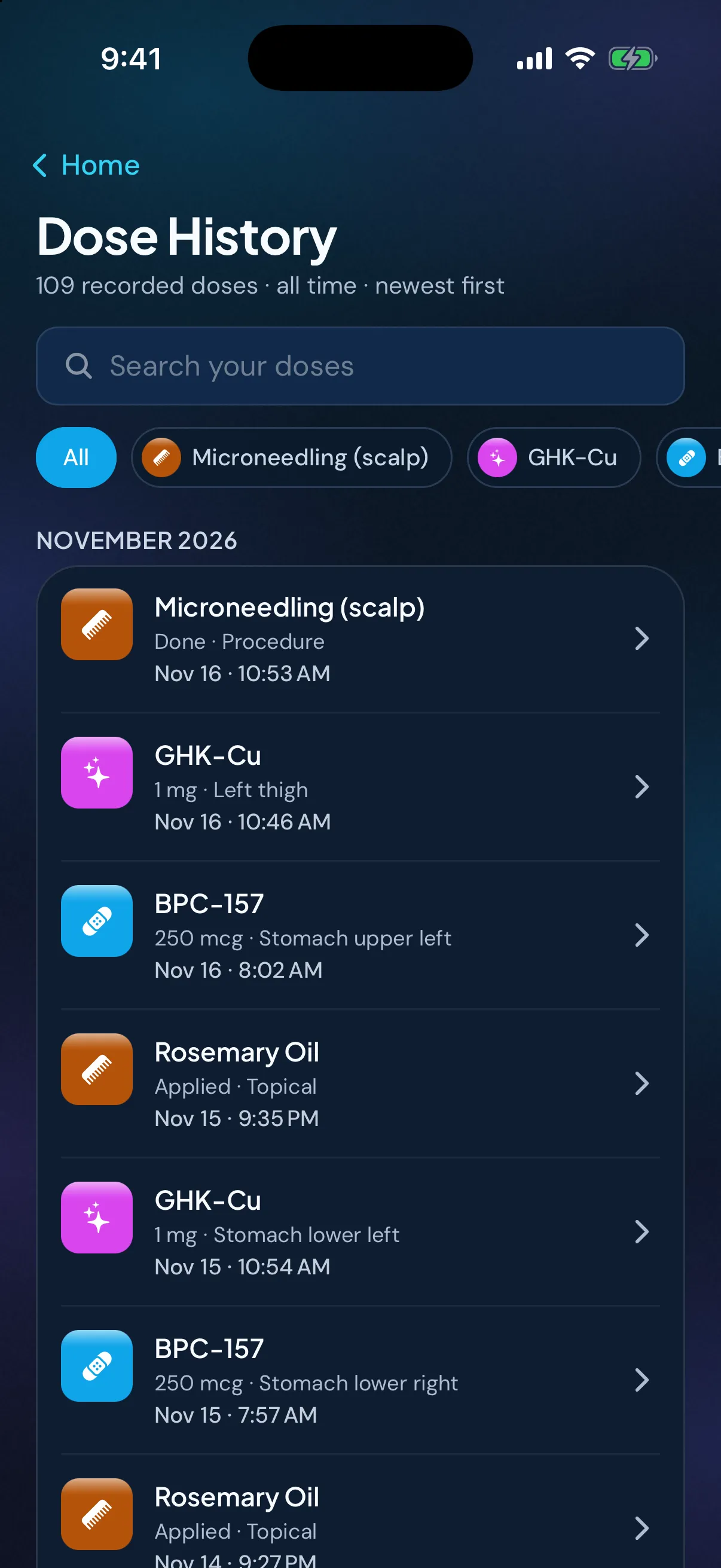
Sample data. The amounts are what a demo person entered, not advice.
Where your records live
Your health records are stored on your iPhone. Your records may not come across to a new iPhone, so export a copy first. Your account (email and basic profile) is held by our sign-in provider, and you sign up with email. The app has no analytics and no ad trackers. How Peptimes handles your data has the details.
Price and availability
Coming soon to the App Store. Planned launch pricing: $9.99/month or $69.99/year, with a 14-day free trial. After the 14-day trial, Peptimes needs a subscription. See planned pricing.
FAQ
Does Peptimes tell me what to use on my hair?
No. Peptimes records what you use and when. It never suggests a routine, a product or an amount, and it doesn't judge anything you log. Talk to your doctor before starting or changing anything.
Can I log minoxidil as Applied?
Not yet. Minoxidil is logged with the amount you type, on the scalp or as a tablet.
Are my hair photos uploaded?
No. They stay on your iPhone and can be included in backups you make. They aren't in Export or the Doctor report, and Share sends only the one photo you pick.
Can I track finasteride, dutasteride and minoxidil here too?
Yes. They're in the Library. See the finasteride, dutasteride and minoxidil tracker page.
Is Peptimes on the App Store yet?
Not yet. It's coming soon to the App Store and Google Play, at the same time. There's no web app.