
How to remember a weekly injection day
A daily medicine gets cues for free: breakfast, brushing your teeth, bed. A once-a-week one doesn't, and a week is long enough for the day to arrive while you're busy with something else. This guide covers ways to remember an injection day that your prescriber has already set: a habit you already have, a calendar entry, a phone reminder, a written log, and someone at home who knows. It ends with what to write down once you've done it.
This guide assumes your prescriber has set the day and the time, and it covers remembering them. The day, the time and anything about a dose that is late, missed or uncertain are for your prescriber, your pharmacist and the medicine's label. If you have a question about any of those, ask them.
Write the day down once, exactly
Start from the day and time as you were given them. Check them against your notes from the visit or your prescriber's message, and write them in one place in the same words. Every reminder you build in the next steps then starts from the same, correct answer, instead of from a memory of what you were told.
Anchor it to something that already happens that day
A good anchor is something that already happens on your injection day, close to your time, and that you rarely skip. Some examples:
- a standing call or class
- taking out the trash or recycling
- a weekly grocery trip or meal prep
- laundry day
- a weekly show
Pick one that happens every week. "After work" drifts, and anything that often gets canceled takes the cue down with it.
If nothing in your week lines up with your day and time, skip the anchor and use a calendar entry or reminder instead. The day and time stay as your prescriber set them. If your hours change from week to week, or you travel, see reminders for shift work and travel.
Put it in your calendar
Create an event that repeats weekly on your day and time, and add an alert. In Apple's Calendar app on iPhone, open the event, tap Edit, tap Alert, and choose when you want to be reminded, for example "At time of event" or "5 minutes before".
If other people can see your calendar, give the event a title only you would understand. Some people use a word or a set of initials.
Set a phone reminder or alarm
Two built-in options on iPhone:
- Reminders. Create a reminder with a date and time, tap Repeat, and choose the frequency. Apple's Reminders app can also give an early reminder before the scheduled time, with choices such as "5 minutes before" or "2 days before". The day and time of the injection itself don't change.
- Clock. Set an alarm for your time, use Repeat to choose the day of the week, and give it a label you'll recognize.
Pick one reminder you trust as your main one. A second cue, such as a calendar alert and a phone alarm, can be a useful fallback, but when several nag you at once it becomes easy to swipe them all away.
If you don't want a reminder to show details on your lock screen, go to Settings, then Notifications, and choose when previews appear. Apple's options are Always, When Unlocked and Never, and they can be set for an individual app.
Clear a reminder only after you've recorded what happened, so a cleared reminder always means a recorded entry.
Keep a written log where you'll see it
A paper log by the place you do it, or a note on your phone, gives you something to check against instead of relying on memory. When you can look at the page and see this week's entry, you don't have to wonder whether you've already done it. A blank weekly log is on the printable logs page.
Tell someone you live with, if you want to
A partner, housemate or family member who knows your day can mention it when the day comes. Ask them to remind you, not to remember it for you. They don't need the details of your medicine, only that a particular day matters to you. Who knows is your decision.
What to record when you've done it
Write the entry straight after, from what's in front of you, not from memory later:
- Date and the time you actually did it. A log that shows real times is easier to read than one that repeats the planned time.
- Amount and unit, as printed on your label. The same number in a different unit is a different amount.
- Route, and for an injection, the site. Your prescriber can see where and how.
- Anything you noticed, in your own words. A short, dated note beats a recollection weeks later.
If the day passed and you didn't do it, write that down too ("didn't take") rather than leaving the day blank. A blank day can't be told apart from a dose you forgot to log. Review your dose history explains how to keep those apart. For the visit itself, see what to bring to your appointment.
How Peptimes helps
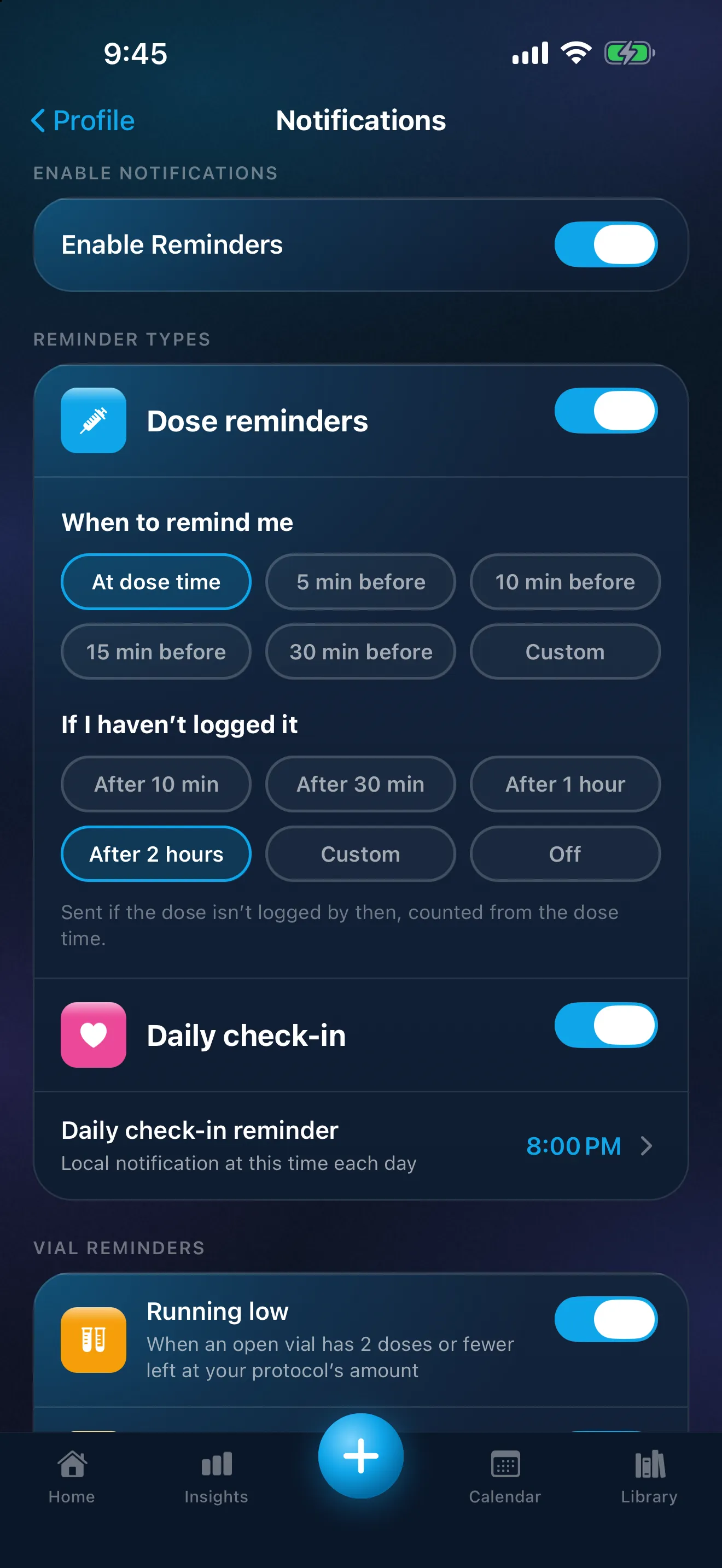
You enter the schedule your prescriber gave you, including the days of the week. Peptimes sends one reminder per dose: you can be reminded at the dose time or a set number of minutes before it. It also sends a follow-up if you haven't logged it, 2 hours after the dose time by default; you can change it or turn it off. If you'd rather your lock screen not show the name or amount, discreet reminders, follow-ups included, show only "You have a reminder" and "Open the app to see it." Peptimes reminders covers each setting.
Home lists today's doses (due now, earlier, later, and logged), and the Calendar shows each day, so the record is in the same place as the reminder. Tap a reminder to open Log a Dose. Reminders depend on your iPhone's notification settings, so check that Peptimes is allowed to send them. Your health records are stored on your iPhone, and you can export them as CSV or JSON when you need a copy.
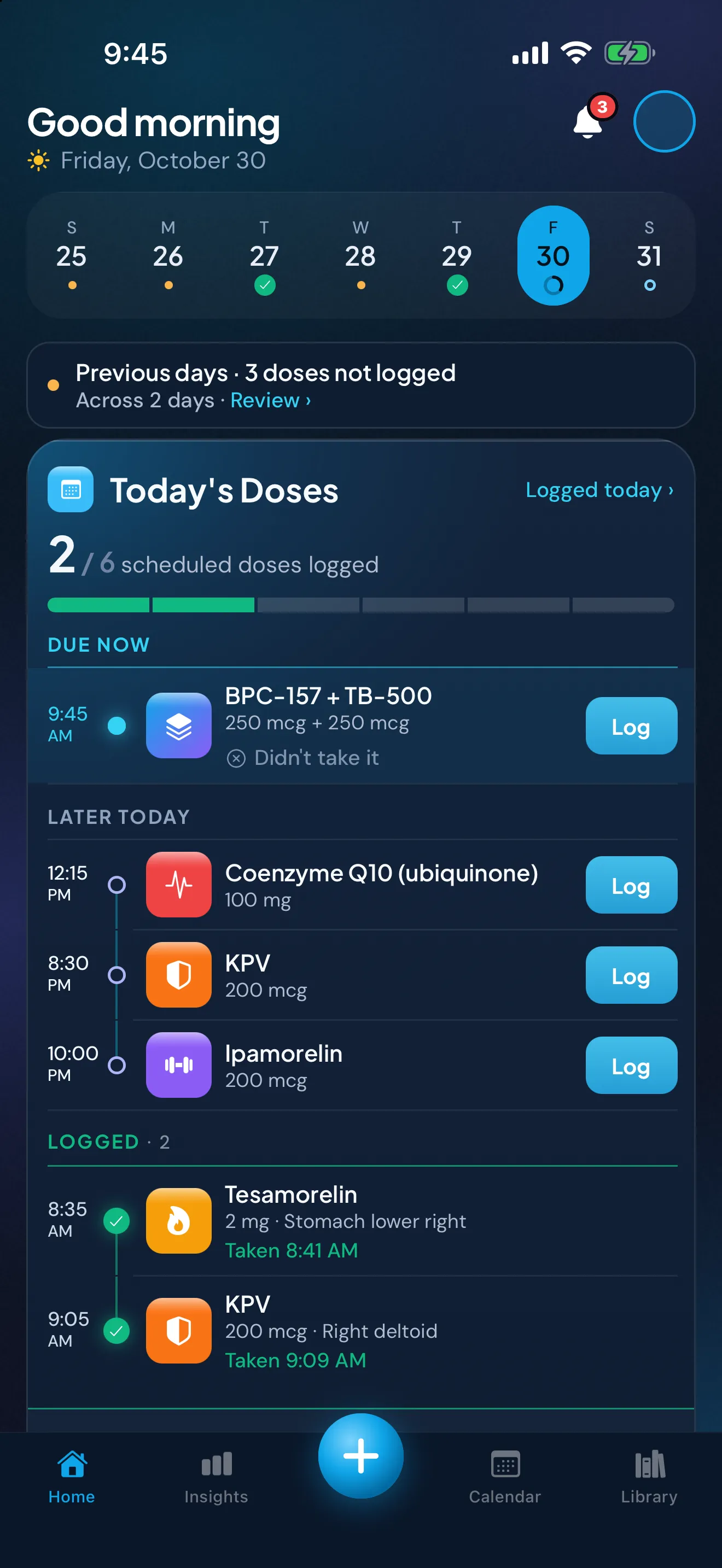
Sample data. The amounts are what a demo person entered, not advice.
Peptimes is coming soon to the App Store. Share your medication log with your doctor covers exporting, and how Peptimes handles your data explains where your records are stored.
FAQ
Will my lock screen show the name of my medicine?
Dose reminders show the compound's name and amount unless you turn on discreet reminders, which show only "You have a reminder" and "Open the app to see it." Your lock screen still shows Peptimes' name and icon. To hide the reminder's text too until your iPhone is unlocked, set Show Previews to When Unlocked in Settings, Notifications, Peptimes.
Does the "not logged yet" follow-up tell me what to do about a dose?
No. It tells you a dose has no record yet. Questions about a late or missed dose are for your prescriber, your pharmacist and the medicine's label.
Sources
- Apple, iPhone User Guide, "Create and edit events in Calendar on iPhone", checked 25 Oct 2026: adding an alert to an event (Edit, Alert, "At time of event", "5 minutes before").
- Apple, iPhone User Guide, "Add details in Reminders on iPhone", checked 25 Oct 2026: setting a recurring reminder (Date or Time, Repeat) and an early reminder ("5 minutes before", "2 days before").
- Apple, iPhone User Guide, "Set an alarm in Clock on iPhone", checked 25 Oct 2026: Repeat (days of the week) and Label.
- Apple, iPhone User Guide, "Change notification settings on iPhone", checked 25 Oct 2026: Show Previews options (Always, When Unlocked, Never), settable per app.
- Peptimes, Help Center, "How reminders work", "Reminders not arriving? Try these steps" and "Set a schedule: how often, what time and for how long", peptimes.featurebase.app/en/help, checked 23 Oct 2026: reminder types, the follow-up, discreet reminders, tapping a reminder to log, notification permission, and entering the schedule you already follow.
Coming soon to the App Store
See planned pricing