
Body measurement tracker: weight, waist, hips, chest and more
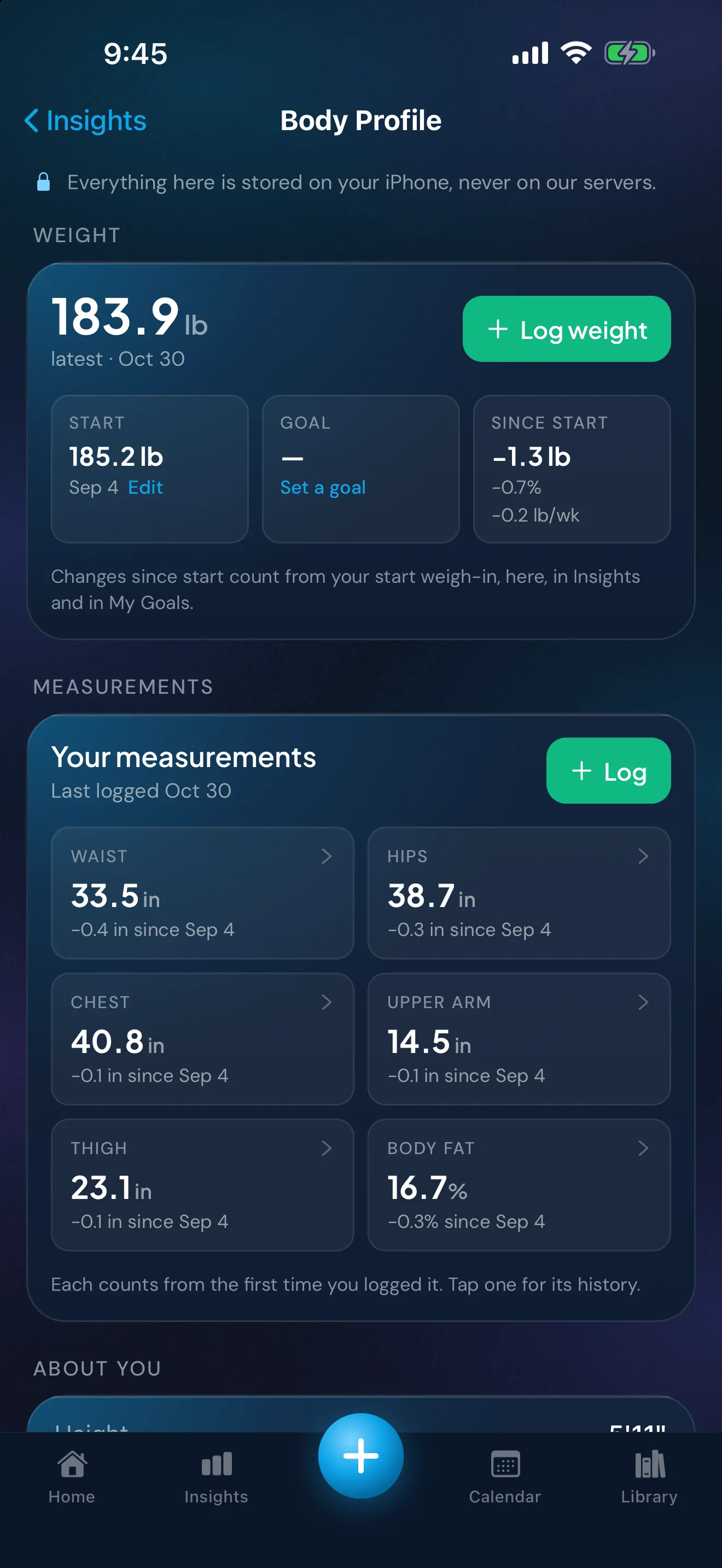
Peptimes keeps body measurements next to your dose records, so one app holds both. You log your weight in the Daily Check-in, and six measurements in Body Profile: waist, hips, chest, upper arm, thigh and body fat %. You type each number in, in your own units, and Peptimes keeps the date and the value.
Peptimes stores the numbers you enter. It doesn't interpret them, and this page doesn't say what any number should be.
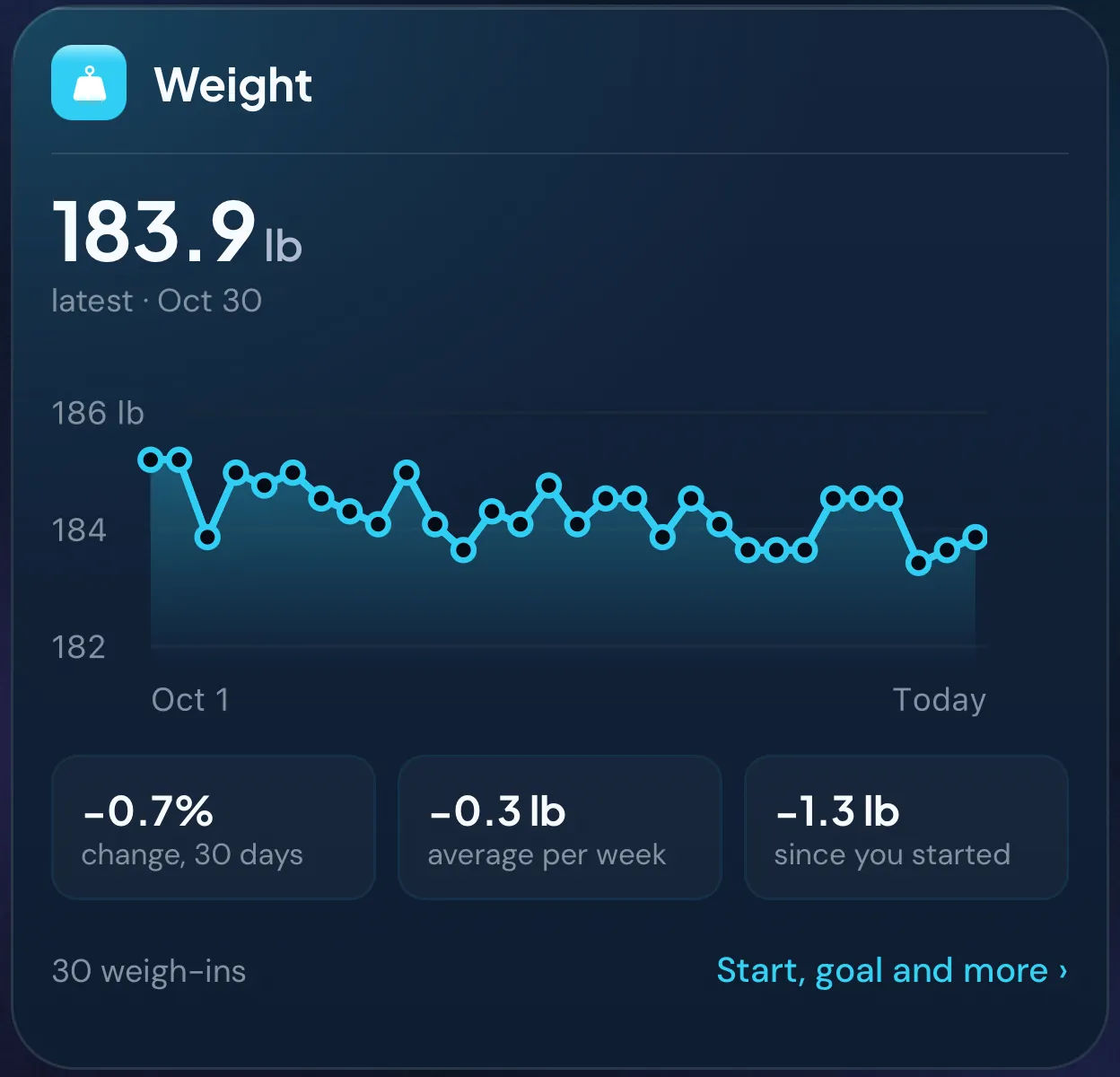
Weight history
You enter your weight in the Daily Check-in, in pounds or kilograms, and Insights shows the weights you've logged as a weight trend over a time range you choose. Two rules to know:
- One weight per day. You can check in more than once a day; if you enter your weight again that day, the latest one is kept.
- A weight is for today. You can't add a weight for an earlier day.
How you weigh yourself decides whether two entries can be compared. How to weigh yourself consistently covers the method.
Six measurements
Peptimes records waist, hips, chest, upper arm, thigh and body fat %. You log them from the "Your measurements" card in Body Profile. The "Log measurements" sheet starts with a date, which can be any day up to today, so you can add a reading you took earlier. Each measurement is optional, so you log only the ones you actually measure. There's one entry per day, so logging a day again replaces it. Tap a measurement to see its history.
Lengths are in inches or centimeters, following how height is shown in Body Profile, and body fat is in %. Body fat % is the number from whatever device or method you use; Peptimes doesn't measure it.
Peptimes stores the date and the number, so keep the details of your method (which tape, which landmark, what you wore) in your own notes. How to measure your waist, hips and chest consistently explains how to keep those details the same each time, and the printable body-measurement log has space to write them down.
Taking the records with you
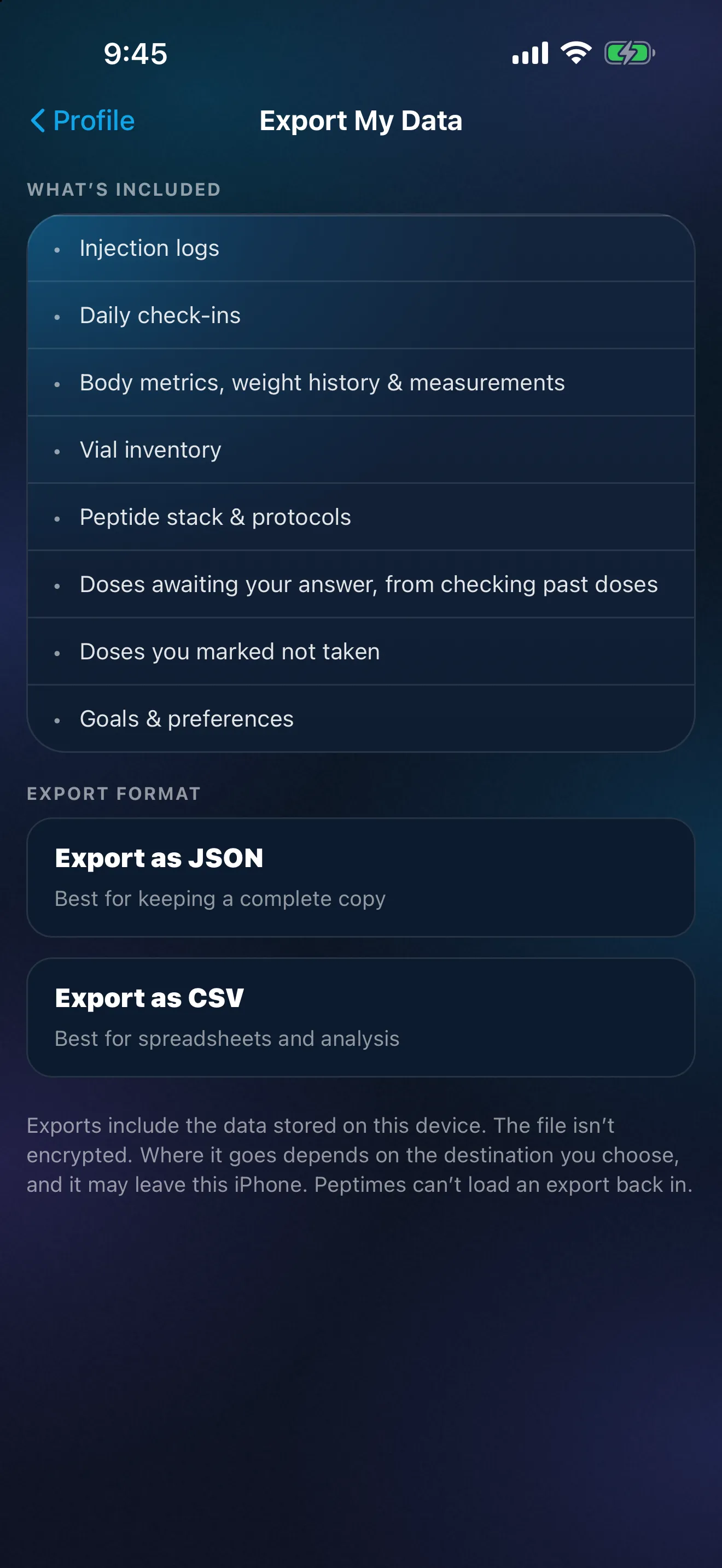
Your health records, weights and measurements included, are stored on your iPhone, and your account (email and basic profile) is held by our sign-in provider. Your records may not come across to a new iPhone, so export a copy first.
Export your records as CSV or JSON, for yourself or an appointment. Values appear in your own units beside the stored metric ones. Exporting your records for an appointment covers what to send and how. Read how Peptimes handles your data for the rest.
What Peptimes doesn't do here
- It doesn't fill anything in for you. You enter every weight and measurement yourself.
- It doesn't interpret a number. Your clinician can tell you what a measurement means for you.
- It's iPhone only. There's no Android app and no web app.
Price and availability
Coming soon to the App Store. Planned launch pricing: $9.99/month or $69.99/year, with a 14-day free trial. After the 14-day trial, Peptimes needs a subscription. See planned pricing.
FAQ
Can I log a measurement for an earlier date?
Yes. The "Log measurements" sheet starts with a date, and you can pick any day up to today. Logging a day again replaces that day's entry. Weight is different: a check-in's weight is always for today.
More: the daily check-in, dose history and the GLP-1 tracker app.
Sources
- Peptimes, Help Center, "Tracking your weight", checked 25 Oct 2026: one weight per day, a weigh-in is always for today.
- Peptimes, Help Center, "Your Insights, card by card", checked 25 Oct 2026: Insights and its time range.
Coming soon to the App Store
See planned pricing