
A daily health check-in app for how you feel and what you did
The Daily Check-in in Peptimes is one short note for the day. You rate your energy, mood and sleep, enter your weight, add what you did and what you ate and drank, note any side effects and how strong they were, and write whatever else you want to remember. Insights then shows those notes over days and weeks.
You enter every number yourself. Peptimes records them and shows them back. It doesn't score them, explain them, or say whether anything you take is working.
What you can record
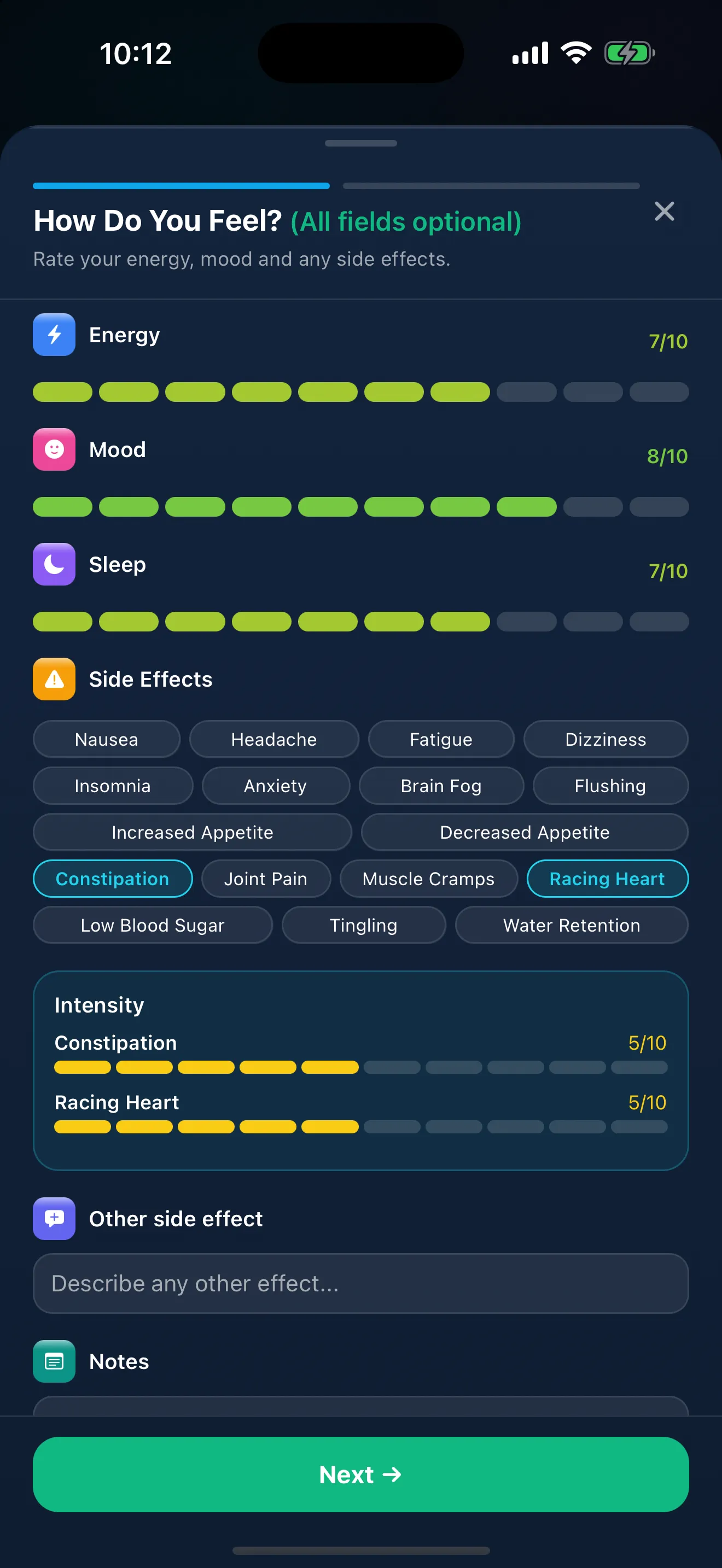
- How you feel: Energy, mood and sleep, each rated from 0 to 10. Sleep is a rating of how you slept, not hours.
- Weight: Your weight, in pounds or kilograms.
- Side effects: Pick the ones that apply from the list, or describe something else in your own words, and set an intensity for each.
- Water: How much you drank.
- Steps: Your step count.
- Workouts: Workout minutes and cardio minutes, and which muscle groups you worked.
- Nutrition: Calories and macros.
- Notes: Anything else about your day, in your own words.
Every field is optional, so a quiet day can take a few seconds.
How a check-in works
Start a check-in from the Daily Check-in on Home, or from the "+" menu. On Home, you start by tapping one of five faces (Great, Good, Okay, Low or Very low), which fills in your energy, mood and sleep ratings to start from. A check-in has two short steps. The first, "How Do You Feel?", covers your ratings, side effects and notes. The second, "Today's Snapshot", covers the rest of your day, your weight included.
You can check in more than once a day; if you enter your weight again that day, the latest one is kept. Each save is a new check-in. A saved check-in has no edit screen, so look over your entries before you save.
A separate reminder can prompt you to check in at a time you choose. See medication reminders.
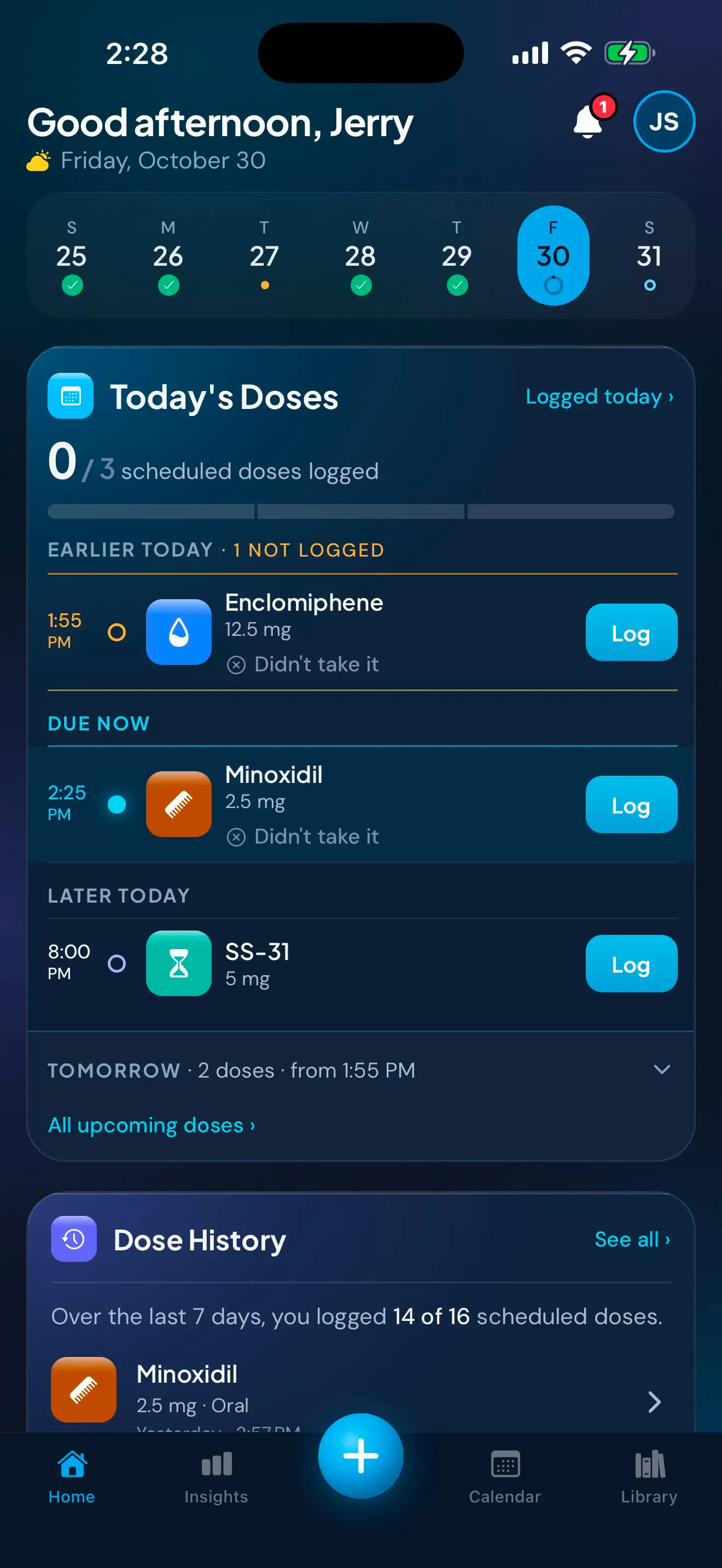
Sample data. The amounts are what a demo person entered, not advice.
How you've been feeling, over time
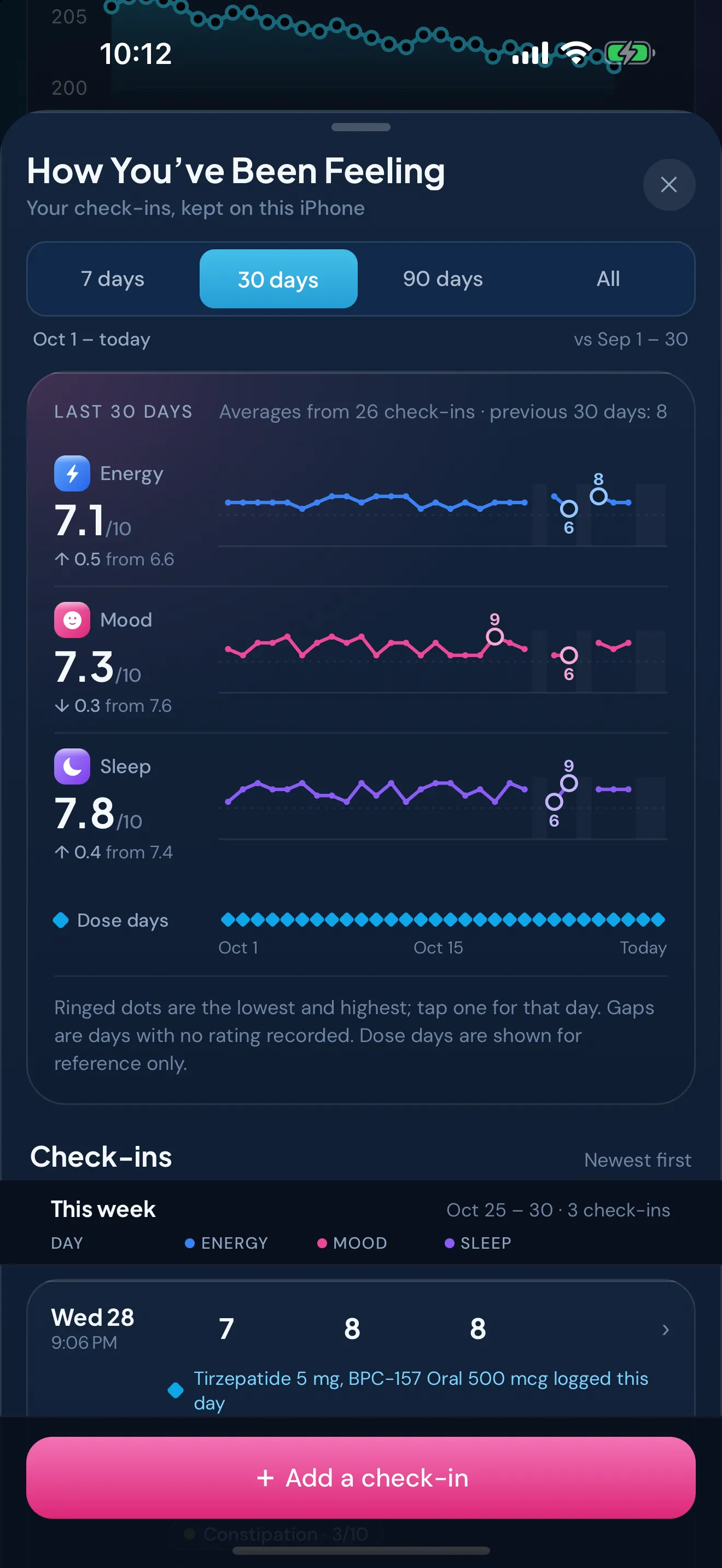
In Insights, choose a time range and the "How You've Been Feeling" card shows your average energy, mood and sleep ratings for it. Days without a check-in appear as gaps. "See all" opens your past check-ins. There, a history of how you said you felt shows your average energy, mood and sleep over 7, 30 or 90 days or all your check-ins, each with a line of its ratings (day by day for 7 and 30 days, week by week for longer), then your check-ins week by week.
Side effects, over time
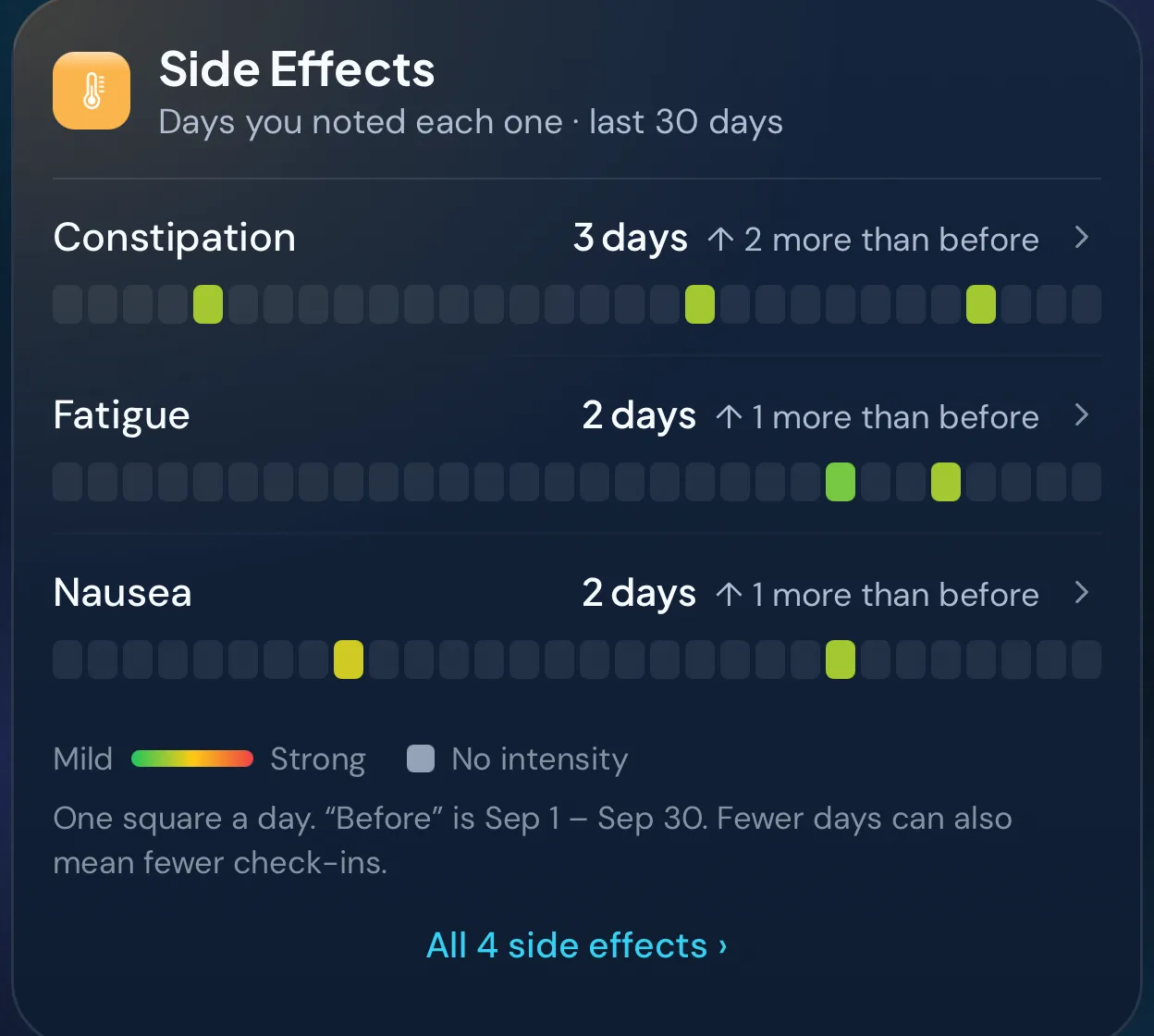
The Side Effects card shows the side effects you noted in the range you pick: how many days you noted each one and, day by day, how strong it was.
The card shows only what you recorded. It doesn't list side effects for any medicine, and it doesn't say what caused one.
What a check-in is not
A check-in is your own record, written by you. Peptimes doesn't tell you whether a side effect is expected or serious, or what to do about it. If a side effect worries you, contact your prescriber or a licensed clinician. In an emergency, call 911 or your local emergency number. Keeping a side-effect and wellbeing log has more on when to contact a clinician.
Using your check-ins at an appointment
Your check-ins are part of what you can export as CSV or JSON, along with your dose history. An entry written on the day is easier to read out at an appointment than a memory from three weeks ago. The side-effect and wellbeing log guide covers how to keep notes you can use, in any app or on a printable side-effect log, preparing for your appointment covers what to bring, and exporting your records for an appointment covers sending the file.
Where your records live
Your health records, check-ins included, are stored on your iPhone, and your account (email and basic profile) is held by our sign-in provider. Your records may not come across to a new iPhone, so export a copy first. Read how Peptimes handles your data.
Price and availability
Coming soon to the App Store. Planned launch pricing: $9.99/month or $69.99/year, with a 14-day free trial. After the 14-day trial, Peptimes needs a subscription. See planned pricing.
FAQ
Can I change a check-in after I save it?
Peptimes has no edit screen for a saved check-in, so look over your entries before you save.
Does Peptimes tell me what a side effect means?
No. It records the side effects you note and how strong they were, and shows them over time. It doesn't say what caused one or whether it's serious. Talk to your prescriber or a licensed clinician.
More: weight and body measurements, the dose calendar, the peptide tracker app, GLP-1 tracker app and TRT tracker app pages.
Sources
- Peptimes, Help Center, "The Daily Check-in", checked 25 Oct 2026: the check-in, its steps and its optional fields.
- Peptimes, Help Center, "Your Insights, card by card", checked 25 Oct 2026: the "How You've Been Feeling" and "Side Effects" cards, time ranges and gaps.
Coming soon to the App Store
See planned pricing