
An HRT tracker for the hormone therapy you already use
Peptimes is a private iPhone tracker for the peptides, GLP-1 medications and other compounds you already use. For hormone therapy, it gives you one place to record each dose, how you felt, and the schedule you follow, so you can look back over it or bring it to an appointment.
You enter your own amounts and schedules, and Peptimes never suggests an amount. It doesn't sell anything. Questions about your treatment are for your prescriber.
Hormone therapy in the Library
You find what you use in the Library and add it to your own schedule, or log it by hand. These hormone therapy entries are in the Library under these names, shown with the routes Peptimes offers and grouped by the status label on each entry's page.
Labelled FDA Approved in the app
- Estradiol (oral): Oral
- Estradiol (patch): Topical
- Estradiol (gel/spray): Topical
- Estradiol (vaginal): Other
- Estradiol Valerate (injection): Intramuscular
- Estradiol Cypionate (injection): Intramuscular
- Progesterone (oral): Oral
- Progesterone (vaginal/injection): Other or Intramuscular
Labelled Not FDA-Approved in the app
- Estriol: Other
- Progesterone (cream): Topical
Labelled Dietary Supplement in the app
- DHEA: Oral
- Pregnenolone: Oral
Labels are as recorded in the app's Library, and the app itself says its information may be incomplete, out of date or wrong. A label describes the Library entry. It isn't a recommendation, and it can't describe the specific product you have, because approval belongs to a specific product, route and use. To check a product's current status, see how to read FDA status, and check your own product's details with your prescriber or pharmacist.
Tracking testosterone? See the TRT tracker.
What you record with each dose
When you log a dose, Peptimes asks for:
- the amount you took
- the date and time
- the route, if the entry can be taken more than one way
- the injection site, for injected routes
- how you feel, if you want to add it, as ratings and notes
Every amount comes from you, either typed when you log or taken from the schedule you set up. Peptimes doesn't suggest one.
Peptimes shows only the routes that apply to the entry you choose. A site is asked for only on injected (subcutaneous and intramuscular) doses, such as an estradiol valerate injection. Oral, topical and other routes skip that step, so a patch, gel or tablet never carries an injection site.
Your schedule and reminders
In My Protocols, you set up the schedule you already follow with your prescriber: the days of the week or the number of days between doses, the times of day, and a start date. Home then shows Today's Doses: what's due now, what came earlier or is still to come today, and what you've logged. Peptimes doesn't recommend a schedule or an amount, and it doesn't change yours. You set your own: the time and days start from plain defaults you change, and the amount starts blank.
Started before you found Peptimes? Set your start date up to 6 months back and confirm the doses you've already taken, all at once if you like.
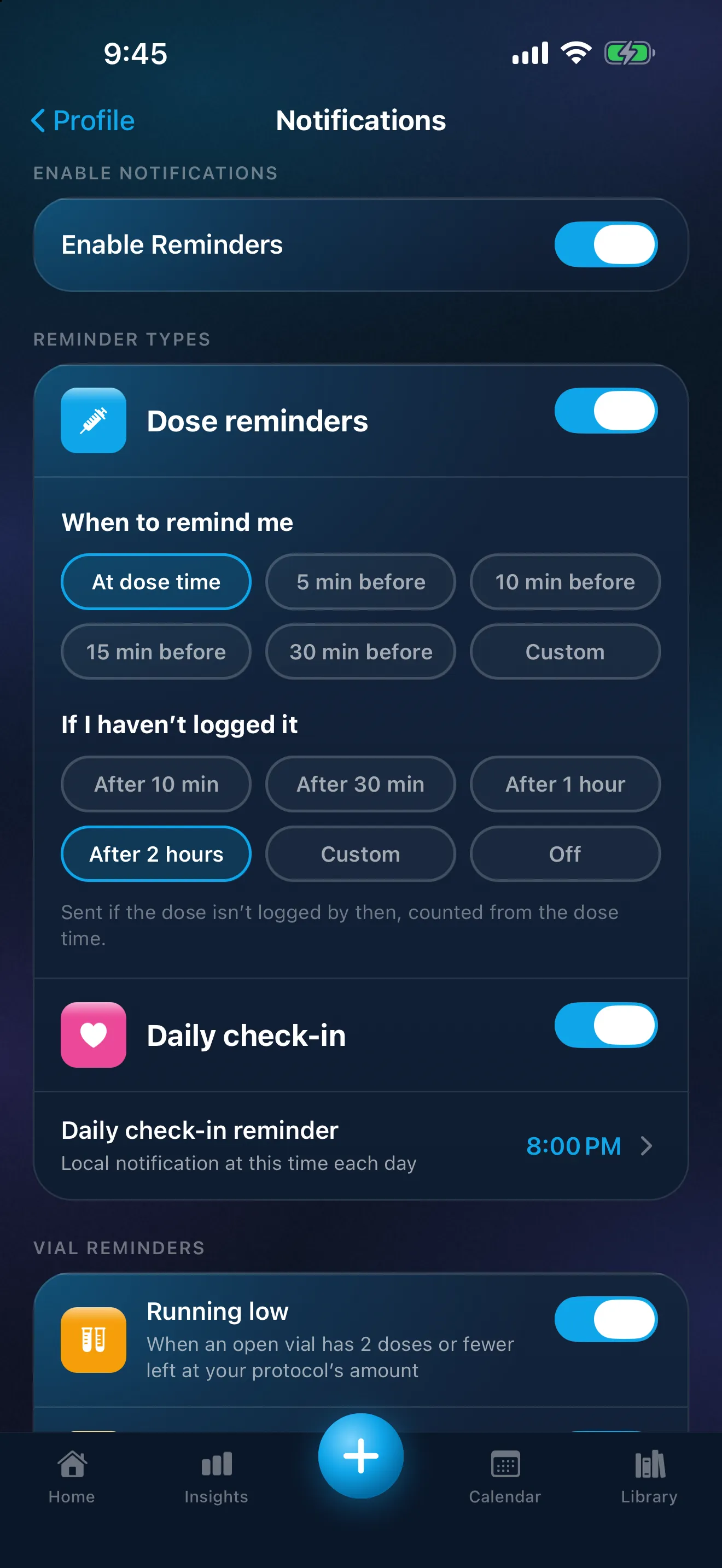
Reminders arrive as notifications on your iPhone, one for each dose, at the dose time or a set number of minutes before it. A standard reminder shows the compound and amount, and tapping it opens Log a Dose. If a dose still isn't logged, a "Not logged" follow-up arrives, 2 hours after the dose time as standard; you can change it or turn it off.
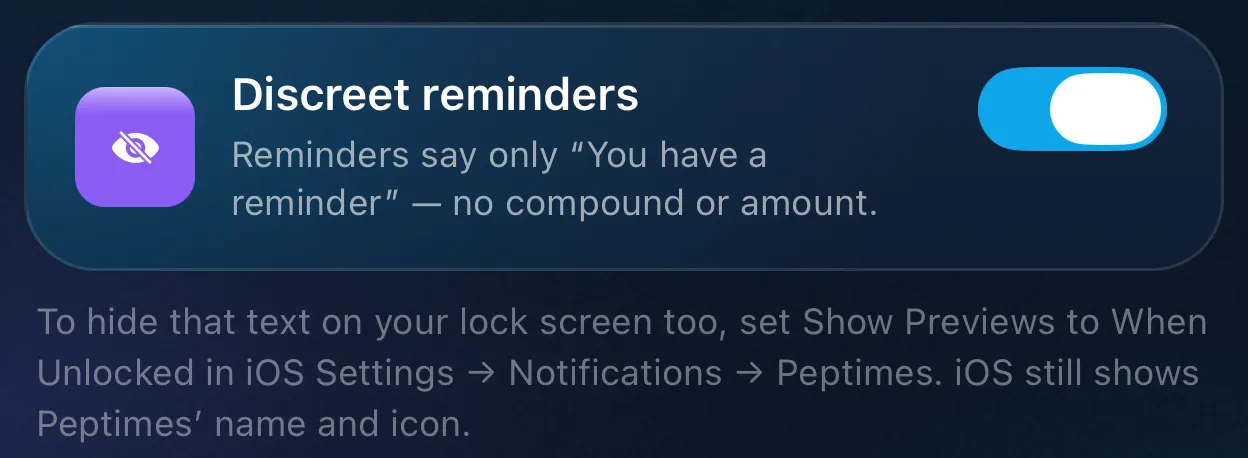
Discreet reminders
Discreet reminders, follow-ups included, show no compound or amount, only "You have a reminder" and "Open the app to see it." Like any iPhone notification, a discreet reminder still shows Peptimes' name and icon. To hide the text on your lock screen too, set Show Previews to When Unlocked.
Calendar and Dose History
The Calendar shows your scheduled and logged doses by month, week or day. Open a past day to record a dose you forgot to log, or to mark one you didn't take. "I didn't take it" tells Peptimes you skipped the dose, which is different from a dose that has no record yet. What a missed dose means for your treatment is a question for your prescriber; Peptimes can't advise on it.
Dose History lists every dose you've logged, newest first. Search by name, or tap a compound to see only its doses, with a summary line of your own entries: how many doses you've logged and when the last one was. It's worked out from your past records, not a target.
How you feel, and your weight
The daily check-in is a quick note for the day. You can rate energy, mood and sleep, add side effects with an intensity, write notes, and record extras such as water and steps. Insights then shows your own ratings over time. Peptimes doesn't interpret any of it. It's a record of what you entered, for you and your clinician.
You can also keep a weight history, and body measurements such as waist, hips and chest, each one optional and logged by date.
Where you've injected
If you log injected doses, Insights has a body map of where you've injected and how recently. It's history only. Injection site history explains how each site is recorded and what the map shows.
Export for appointments
Export your records as CSV or JSON, for yourself or an appointment. Peptimes doesn't keep a copy of your records on its servers, so export your data to keep one. The guide to exporting your records walks through the steps and what each file holds.
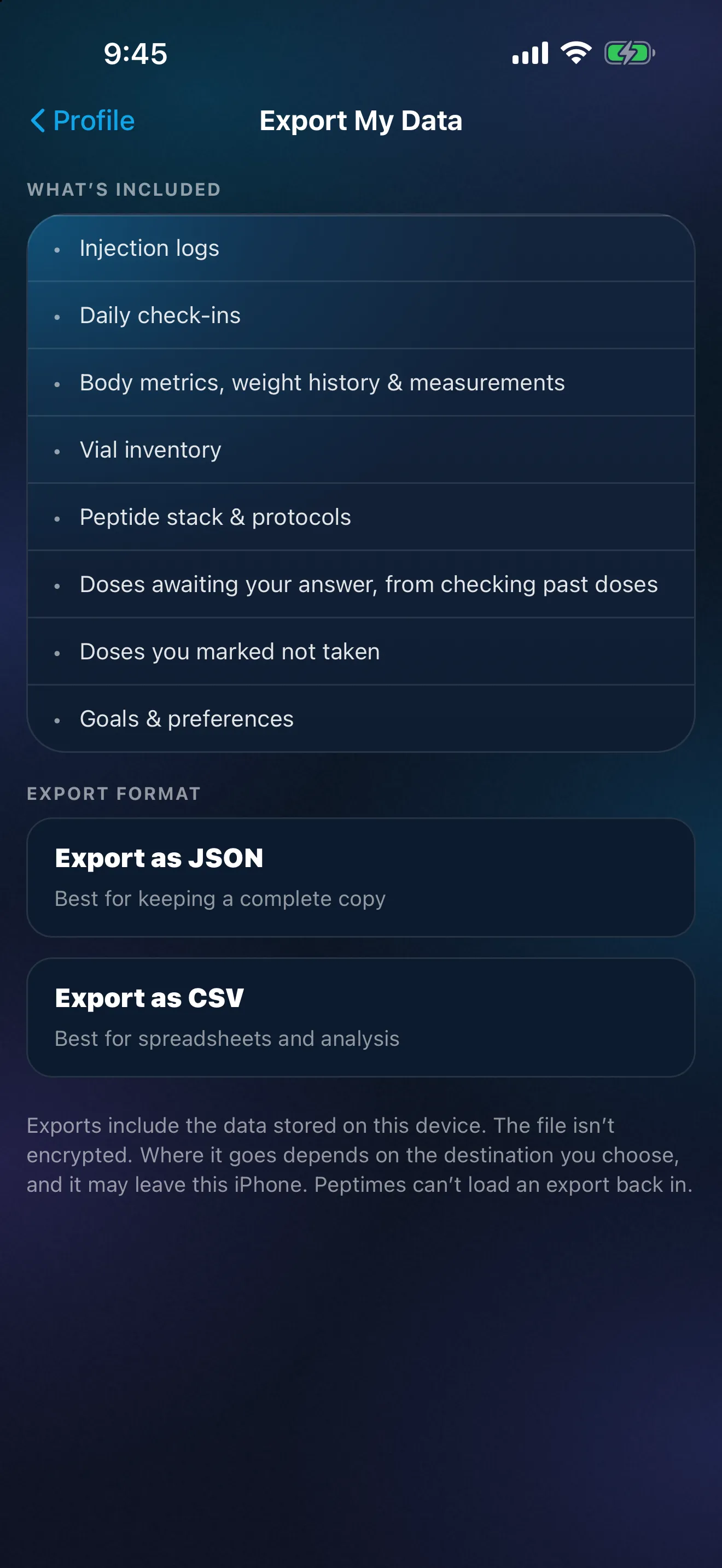
Where your records live
Your health records are stored on your iPhone. Your records may not come across to a new iPhone, so export a copy first. Your account (email and basic profile) is held by our sign-in provider, and you sign up with email. The app has no analytics and no ad trackers. How Peptimes handles your data has the details.
Price and availability
Coming soon to the App Store. Planned launch pricing: $9.99/month or $69.99/year, with a 14-day free trial. After the 14-day trial, Peptimes needs a subscription. See planned pricing.
FAQ
Does Peptimes tell me how much to take or when?
No. You enter the amounts and the schedule you already follow, and Peptimes never suggests an amount. Questions about either go to your prescriber.
Can I log a patch, gel or cream, not just injections?
Yes, for the entries the Library lists. Peptimes records the route you choose, and it asks for an injection site only on injected routes.
What if I forgot to log a dose?
Record it from the past days on Home, or from the Calendar for an earlier day. If you didn't take it, mark "I didn't take it" instead.
Can I show my records to my clinician?
Yes. Export them as CSV or JSON and send the file. Peptimes doesn't create PDF reports.
Is Peptimes on the App Store yet?
Not yet. It's coming soon to the App Store, and it's an iPhone app only: there is no Android app and no web app.
Coming soon to the App Store
See planned pricing