
Dose calendar app: scheduled and logged doses, by date
The Calendar in Peptimes shows every dose you've scheduled and every dose you've logged, day by day, with a label for each dose: logged, not logged, due now or coming up.
You set your own schedule and amounts in My Protocols. The Calendar is a view of the schedule you entered and the record you've kept.
Month, week and day
Switch between Month, Week and Day at the top of the Calendar. Tap Today to jump back.
- Month gives you the whole month at a glance, with dots under each day that has doses.
- Week shows seven days with their doses.
- Day lists one day's doses in full.
Tap a day to see its doses below the calendar, scheduled ones and logged ones together. The Calendar reaches back to any earlier date; the scheduled doses you can record there start from your start date or your last schedule change.
What the labels mean
- Logged: You logged this dose.
- Not logged: Its time has passed and there's no record yet.
- Upcoming: It's scheduled for later.
- Due now: It's at or close to its scheduled time.
- Not taken: You told Peptimes you didn't take it.
Month view has a legend for its dots, and the day's list names each status in words, so color isn't the only signal.
In Month and Week, "Not logged" is an amber dot and "Not taken" a red one, and the legend names each. The day's list says the same in words. Reviewing your dose history explains why the difference matters.
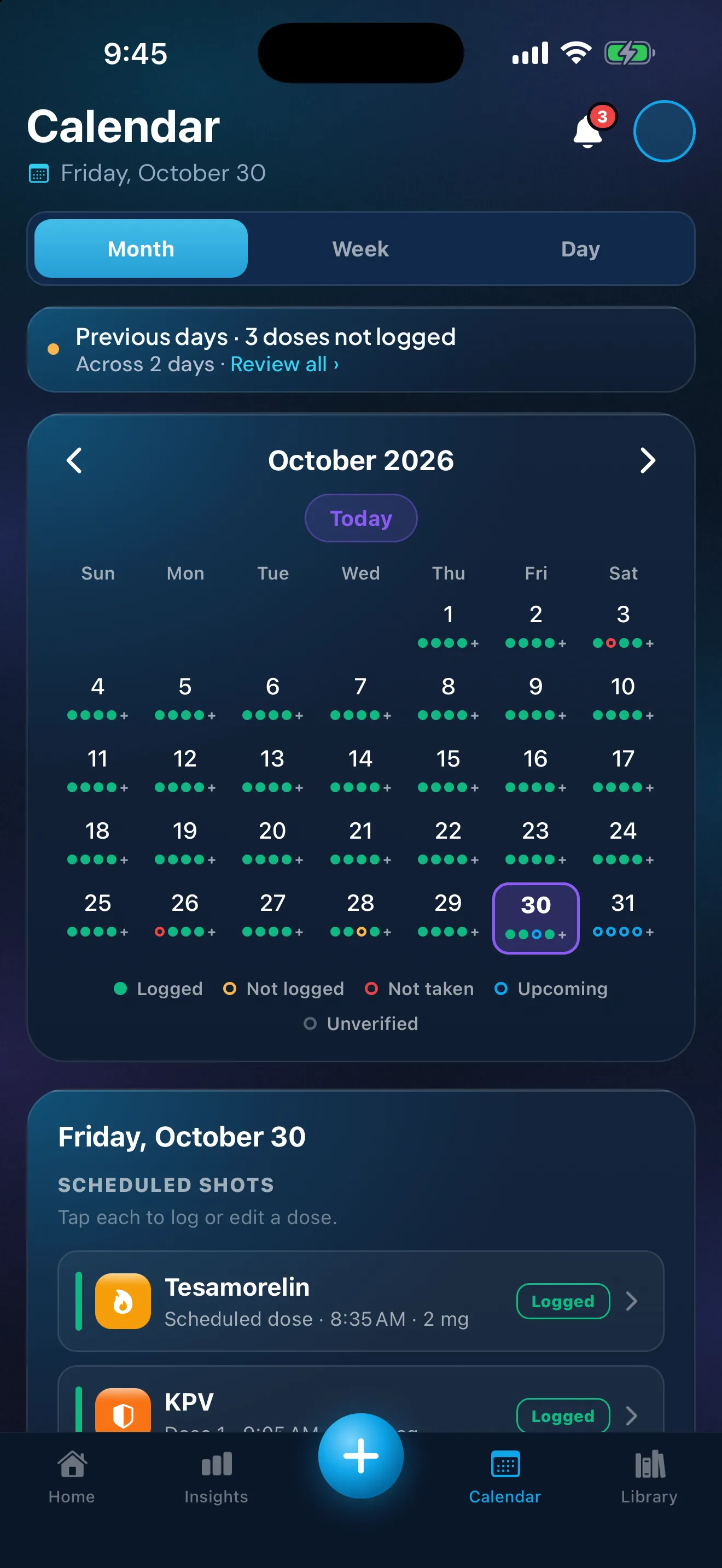
Sample data. The amounts are what a demo person entered, not advice.
Record or answer a past dose
Tap a day, then tap a dose. The Calendar puts it plainly: "Tap each to log or edit a dose."
- A logged dose opens where you can edit or delete it.
- A dose that's due or in the past lets you log it, or record that you didn't take it. You can change or remove that answer later.
To change a logged dose to "Not taken", remove the log first.
On Home, the week strip opens earlier days too, and Previous days lists the past week's doses you haven't logged. "Log all" logs a whole day at once. The step-by-step guide to recording what happened covers both, including when to leave a dose unrecorded rather than guess. Peptimes records what happened; what to do about a missed dose is a question for your prescriber.
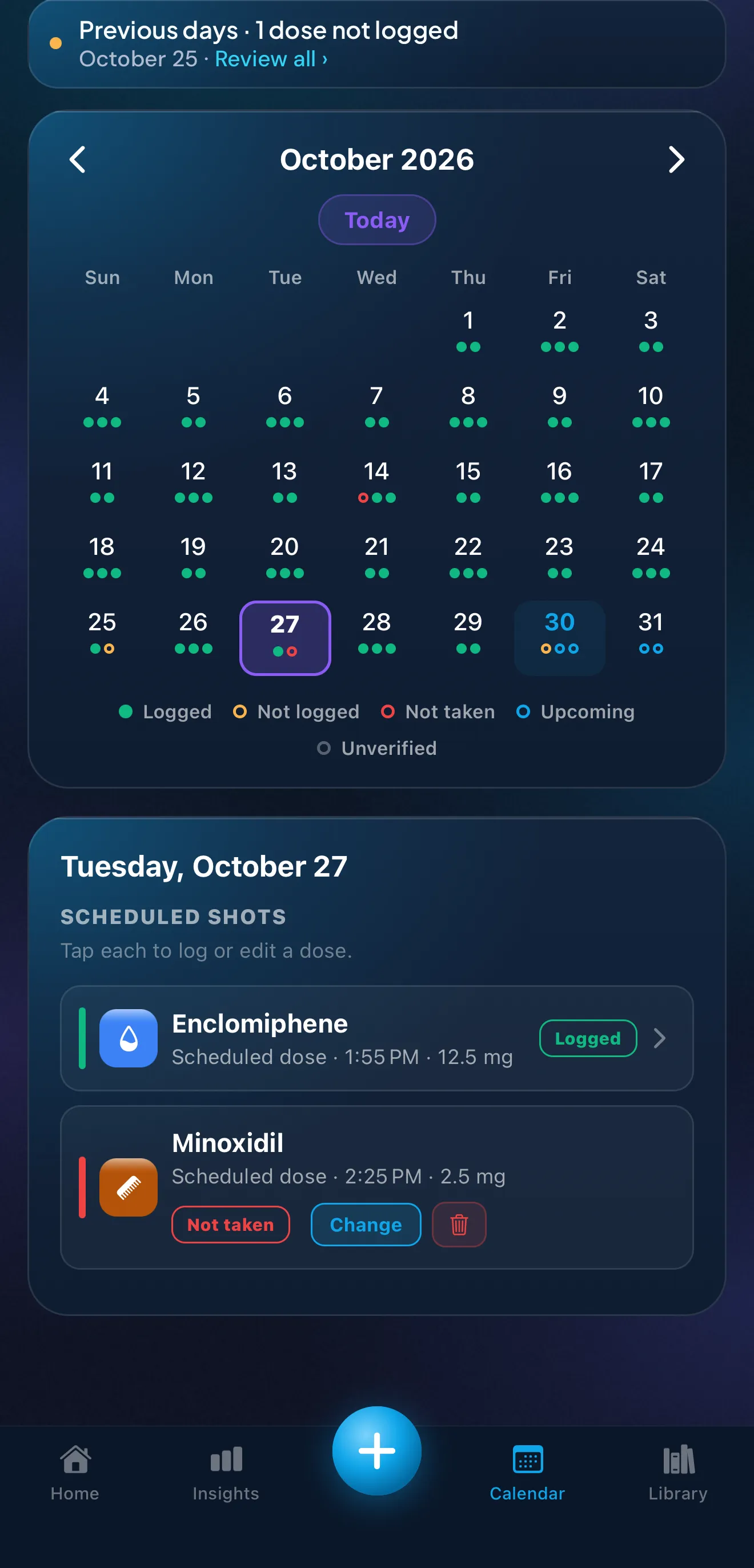
Sample data. The amounts are what a demo person entered, not advice.
Calendar, Home or Dose History
- Home: Today's Doses: what's due now, what's later and what you've logged, with recent days a tap away.
- Calendar: any date in month, week or day views, scheduled and logged doses together.
- Dose History: every dose you've recorded as a list, newest first, with search and a chip for each compound.
If a compound isn't on the Calendar
A compound you log by hand, with no schedule, appears only on the days you log it. Set a schedule in My Protocols and its doses appear.
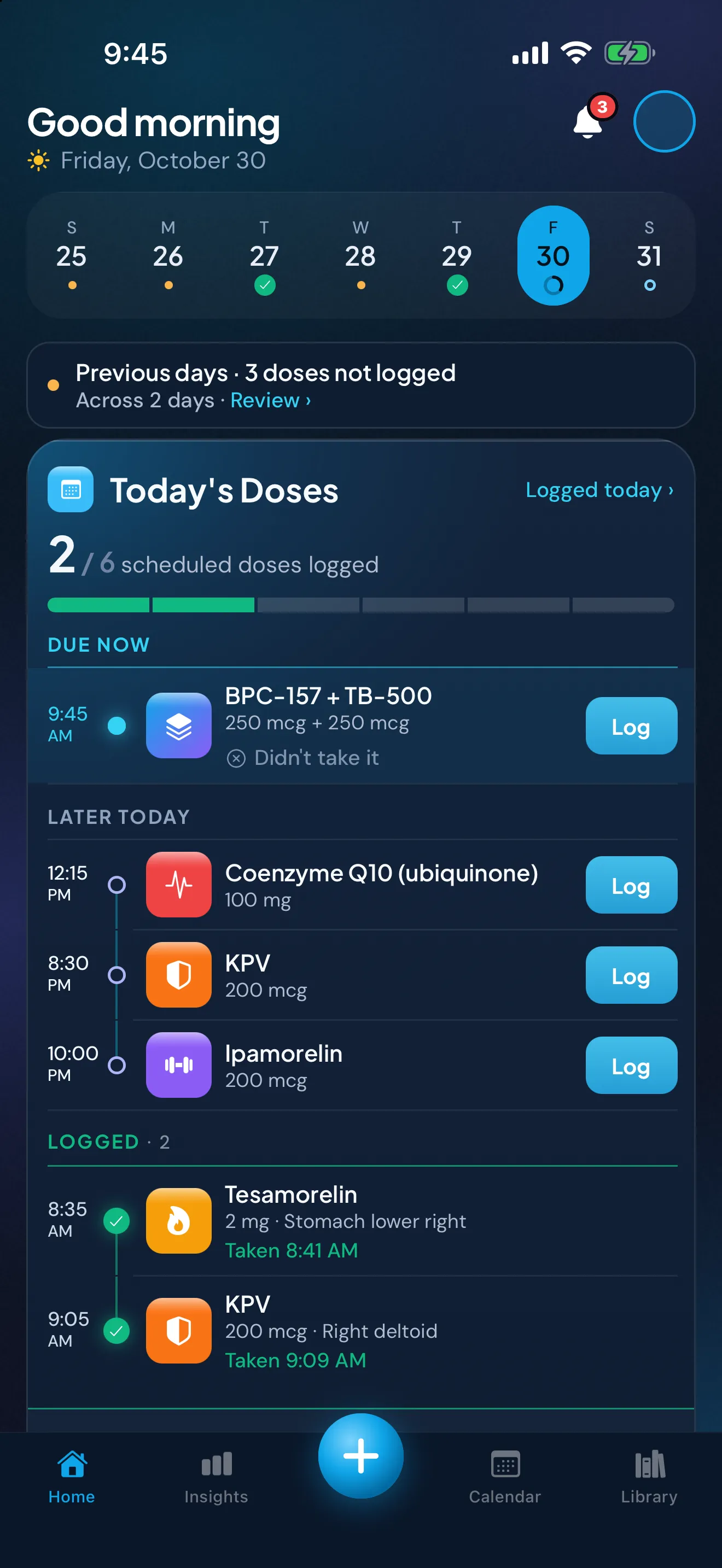
Sample data. The amounts are what a demo person entered, not advice.
What the Calendar doesn't do
- It doesn't recommend a schedule or an amount. You set your own: the time and days start from plain defaults you change, and the amount starts blank.
- It doesn't tell you what to do about a late or missed dose.
- It doesn't add events to your iPhone's own Calendar app.
- It's iPhone only. There's no Android app and no web app.
Where your records live
Your health records, the doses and schedules on the Calendar included, are stored on your iPhone, and your account (email and basic profile) is held by our sign-in provider. Your records may not come across to a new iPhone, so export a copy first. Read how Peptimes handles your data.
Price and availability
Coming soon to the App Store. Planned launch pricing: $9.99/month or $69.99/year, with a 14-day free trial. After the 14-day trial, Peptimes needs a subscription. See planned pricing.
FAQ
Does the Calendar tell me when to take a dose?
No. It shows the schedule you entered. Questions about what to take and when belong with your prescriber or a licensed clinician.
Can I fill in a dose I forgot to log?
Yes. Open the day on the Calendar and record it, or record that you didn't take it. Reviewing your dose history has the details.
More: medication reminders, the daily check-in, how to remember a weekly injection day, exporting your records for an appointment, and the peptide tracker app, GLP-1 tracker app and TRT tracker app pages.
Sources
- Peptimes, Help Center, "The Calendar: views, dots and statuses", checked 25 Oct 2026: the views, the Today button and the status labels.
- Peptimes, Help Center, "Past days, future days and Dose History", checked 25 Oct 2026: the week strip and past days on Home.
Coming soon to the App Store
See planned pricing