
How Peptimes handles your data
Peptimes is a private iPhone tracker for the peptides, GLP-1 medications, testosterone and other compounds you already use. This page explains, in plain English, where the information you enter is kept and what you can do with it.
The short version
- Your health records are stored on your iPhone.
- Your account (email and basic profile) is held by our sign-in provider.
- Peptimes doesn't keep a copy of your records on its servers, so export your data to keep one.
- You can delete your account in the app.
- No analytics and no ad trackers in the app. Your health data is never used for analytics or advertising.
Your health records are stored on your iPhone
The records you keep in Peptimes are stored on your iPhone: the doses you log, your daily check-ins, your weights and body measurements, and the schedules you set up.
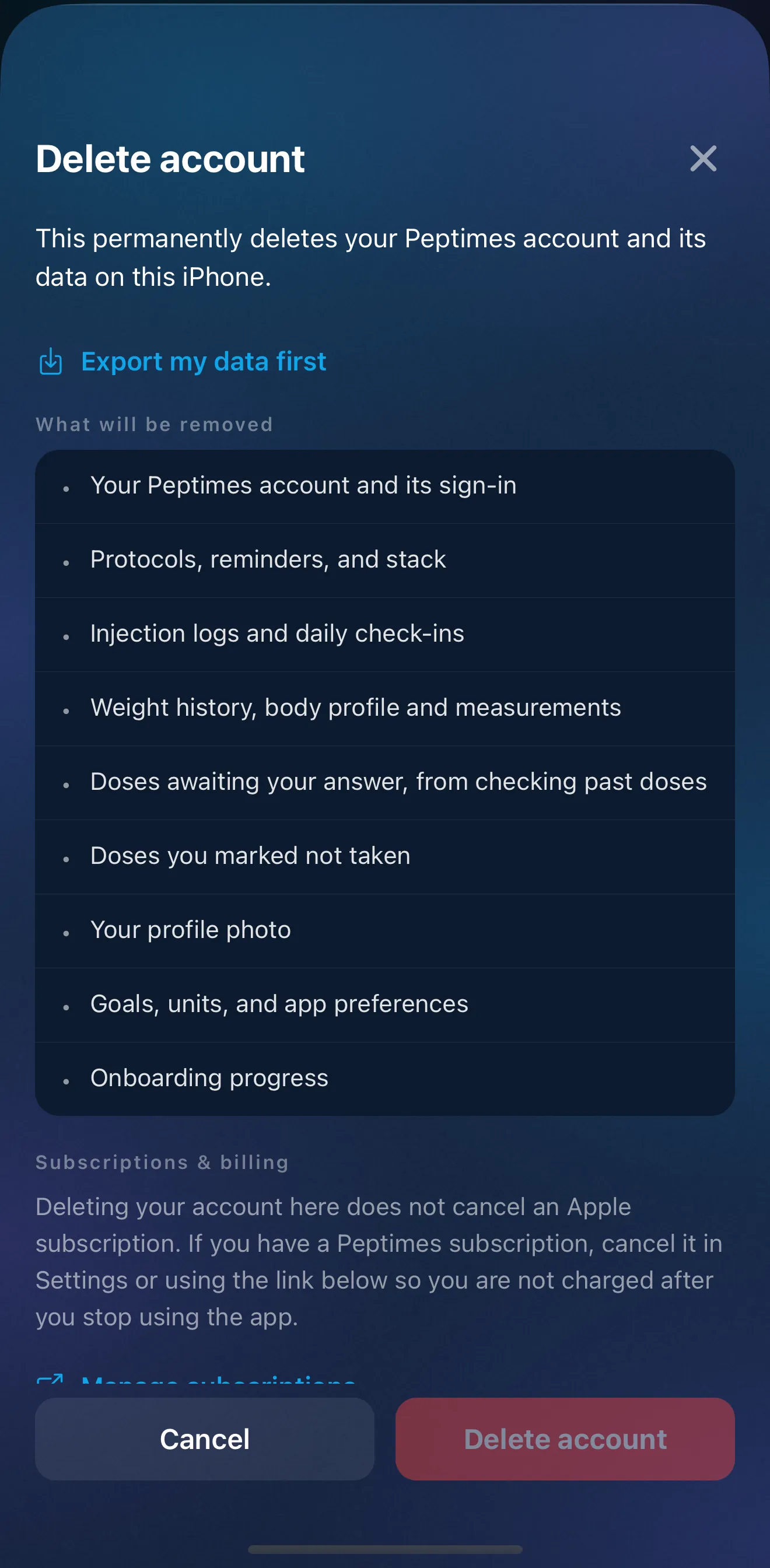
Because they're stored on your iPhone, deleting Peptimes deletes the records on that iPhone. If you reinstall it, the app starts empty: signing in again brings back your account, not your records. So export first if you want to keep them. Your records may also not come across when you move to a new iPhone, so export them before you switch.
Your account
You need an account to use Peptimes. Sign up with email.
Your account (email and basic profile) is held by our sign-in provider. It's what you sign in with, and its profile is your email and the name you enter. Your health records aren't part of it: they stay on your iPhone.
Backups, and keeping your own copy
Peptimes doesn't keep a copy of your records on its servers. Your records are stored on your iPhone and can be included in iCloud or computer backups you make. Export to keep a separate copy.
You can export your records as CSV or JSON in the app, for yourself or an appointment. Our guide to exporting your records for an appointment walks through the steps and what each file holds.
An export contains your health information. Keep it somewhere private, and share it only with people you trust.
Deleting your account
You can delete your account in the app. This permanently deletes your Peptimes account and its data on this iPhone. Your account, with its online profile, and the records on this iPhone go at the same time; there's no waiting period. It can't be undone, so export first if you want a copy.
Your profile photo
If you add a profile photo, it stays on your iPhone. It's never uploaded, and it's never included in an export.
Advertising and analytics
No analytics and no ad trackers in the app. The Peptimes app has no analytics, advertising or ad-attribution tools, and your health data is never used for analytics or advertising.
Optional crash reports, off unless you say yes: technical error details only (the app version, iPhone model, iOS version and where the code failed), never your doses, compounds, measurements or notes. They're sent to Sentry, and you can turn them off anytime in Profile.
This website, peptimes.com, is different: it counts visits with Vercel Web Analytics, our hosting provider's privacy-friendly tool. It sees which pages are viewed, the country, the type of device and browser, and the site that linked you. We see only totals, never individual visitors. It uses no cookies, doesn't store your IP address and can't follow you to other sites. Nothing from the app, and none of your health records, ever reaches the website.
Reminders
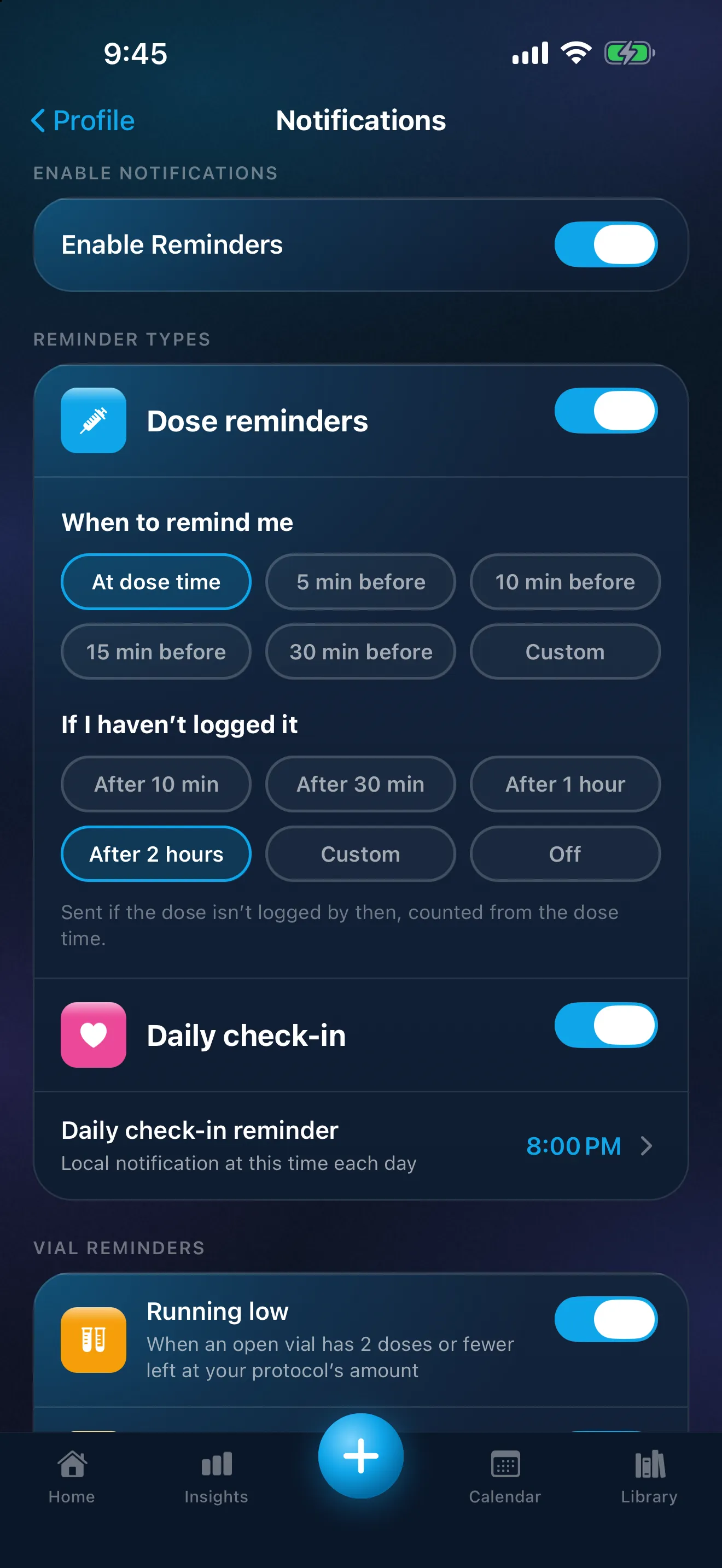
Peptimes reminders are local notifications: the app schedules them on your iPhone, at the times you set.
A standard dose reminder shows the compound and the amount, so anyone who sees your lock screen can read them. To keep them off it, turn on "Discreet reminders" in Profile → Notifications. Dose reminders and "not logged yet" follow-ups then show only "You have a reminder" and "Open the app to see it." To hide even that text, the same screen points you to your iPhone's Settings, then Notifications, then Peptimes, where you can set Show Previews to When Unlocked.
App Lock
You can lock Peptimes with Face ID using iOS's built-in app lock; the app shows you how, on the App Lock page in Profile. Peptimes doesn't have a lock or a passcode of its own. iOS's app lock needs iOS 18 or later.
The help center and feedback board
The help center and the feedback and ideas board that open from Peptimes are run by Featurebase, which has its own privacy policy. Anything you post on the feedback board is public, so leave health details out of it.
This website
The Peptimes website has no advertising pixels.
FAQ
How do I ask about my data or make a privacy request?
Email support@peptimes.com.
Who is Peptimes for?
Peptimes is for adults 18 and over.
Coming soon to the App Store
See planned pricing