
Peptide library with a status label on each entry
The Library in Peptimes is a searchable reference list of 200+ compounds. Every entry carries one status label, so you can see at a glance whether the Library has recorded an FDA approval, a trial phase or another status. The Library isn't limited to peptides, and not every entry is an approved medicine, which is why the labels are there.
A label describes an entry. It isn't advice, and it doesn't say a compound is safe or right for you.
Find an entry
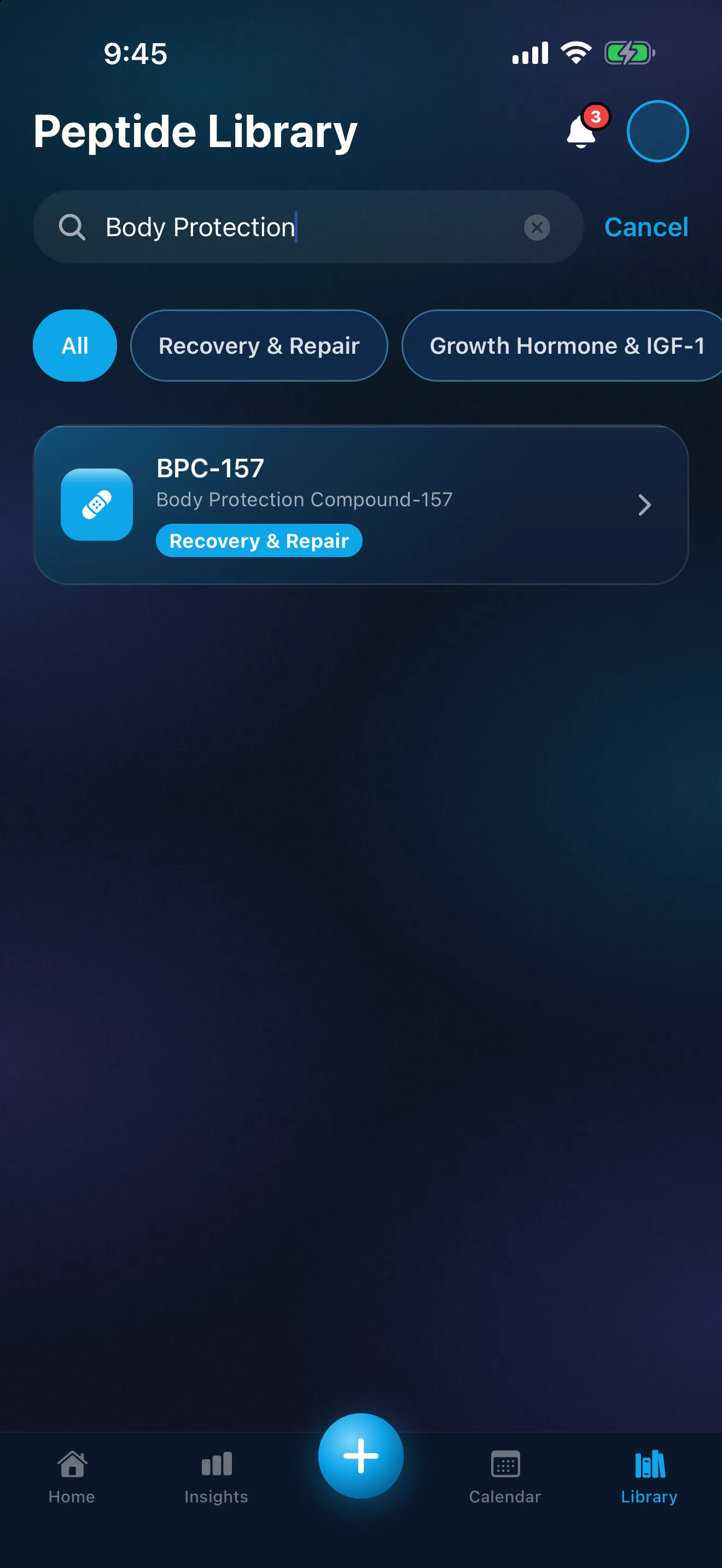
Search by name, or tap a category chip to browse. All shows everything. Search by a brand name such as Ozempic or Mounjaro, and you'll find the entry for its active ingredient. GLP-1 brands and their active ingredients explains why one ingredient can have several brands.
The status label on each entry
An entry's page shows its categories near the top, with one status label and a brand name where there is one. The label is a chip with a symbol as well as a color, so it doesn't rely on color alone. These are the labels at the top of each entry, and what each one means:
- FDA Approved: An FDA-approved product exists for at least one use. The page says which.
- Not FDA-Approved: No FDA-approved product.
- Approved outside the US: Approved by a regulator in another country, not by the FDA.
- Phase 1 / 2 / 3 Trials: Investigational: in clinical trials, not FDA-approved.
- Dietary Supplement: Sold as a supplement, not an FDA-approved drug.
- Compoundable: Not FDA-approved as a product; FDA rules allow pharmacies to compound it.
- Compounding Restricted: FDA lists it as raising significant safety risks for compounding (its "Category 2").
The trial labels name their phase: "Phase 1 Trials", "Phase 2 Trials" or "Phase 3 Trials".
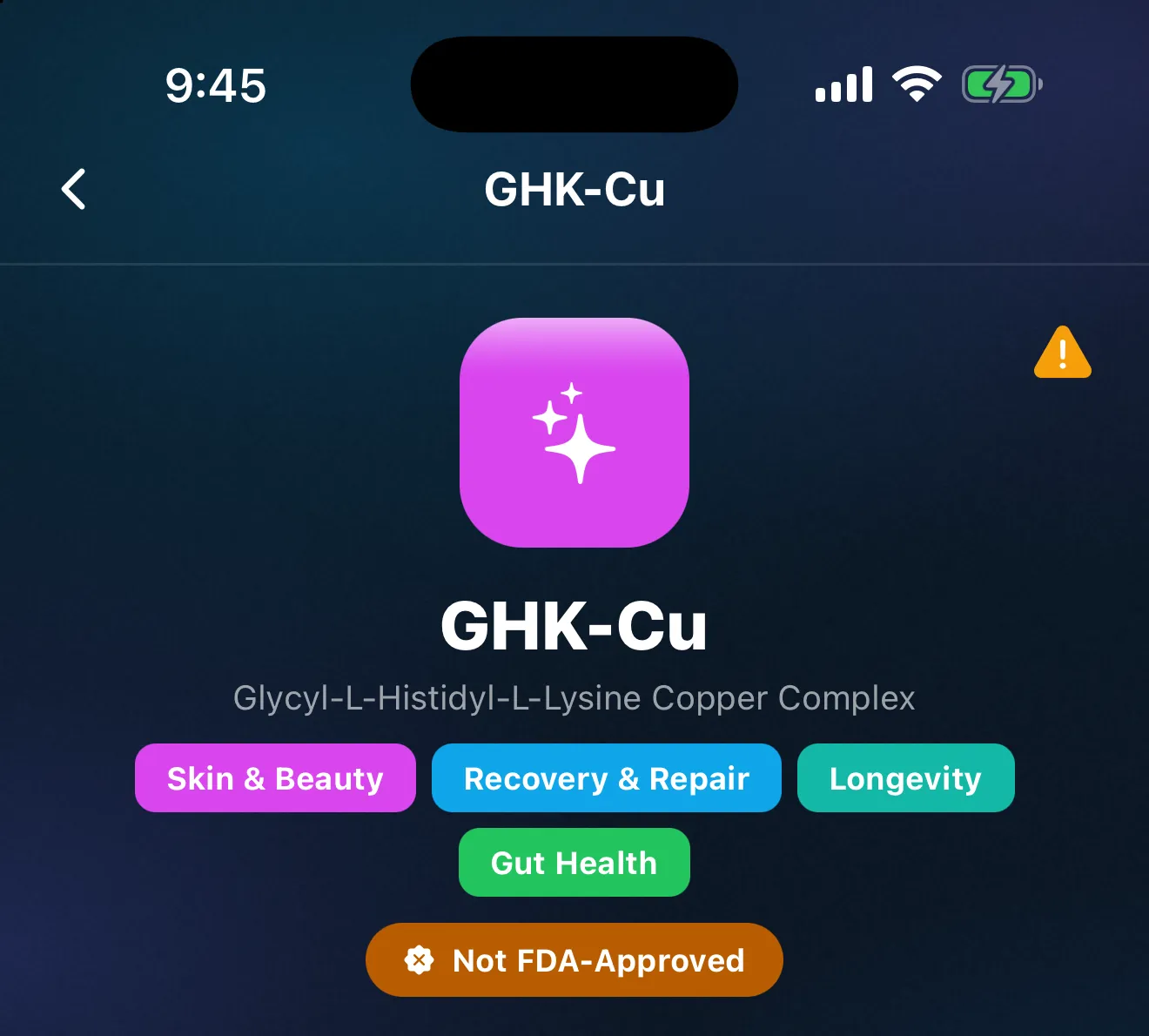
A label records what the Library's sources showed. In the app's own words, its information "may be incomplete, out of date or wrong. Regulatory and anti-doping rules change often." A label can't describe the particular product you have. For that, check the source yourself (Drugs@FDA lists FDA-approved products) or ask your pharmacist or prescriber. What FDA approved, investigational and compounded mean explains the terms, and what the clinical trial phases mean covers Phase 1, 2 and 3.
The DEA schedule, on testosterone entries only
Testosterone entries show "DEA Schedule: Schedule III · Controlled substance · prescription only". DEA lists anabolic steroids, including testosterone, in Schedule III. No other entry in the Library shows a DEA schedule. Testosterone tracking in Peptimes covers how the app records it.
"Your doses" on each entry
Once you've logged a compound, its Library entry shows a "Your doses" card with how many doses you've logged and the date of the last one. The card counts your own entries and adds nothing to them. Dose History lists the doses themselves. Tap the card to open Dose History on that compound.
General information, not medical advice
Each entry page carries the note "General information, not medical advice". A status label is one fact about regulatory status. This page doesn't summarize the rest of an entry, and nothing here is medical advice. Questions about your own treatment belong with your prescriber or a licensed clinician.
Reading, and tracking
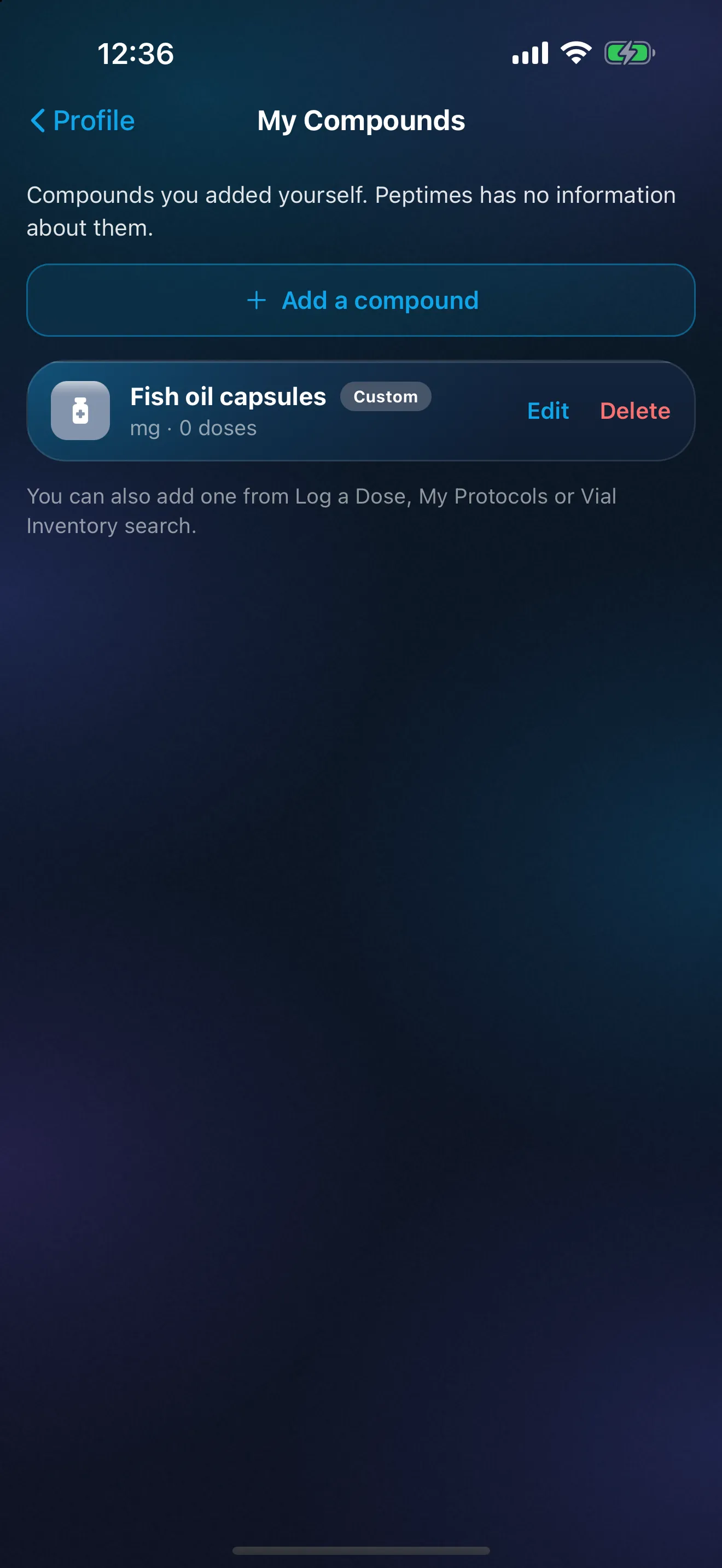
Library entries are for reading. To track a compound, add it in My Protocols or log a dose of it. Track something the Library doesn't have by adding your own compound: it shows with a silver tile and a "Custom" tag, and Peptimes has no information about it. Adding your own compound has the details.
If you'd like a compound added to the Library, or an entry looks wrong, say so on the app's feedback board or write to support@peptimes.com.
What the Library doesn't do
- It isn't a verdict on any compound. A status label is one fact about regulatory status, not a judgment of whether a compound is safe or works.
- It isn't a shop. Peptimes is a tracking app. We don't sell peptides.
Price and availability
Coming soon to the App Store. Planned launch pricing: $9.99/month or $69.99/year, with a 14-day free trial. After the 14-day trial, Peptimes needs a subscription. See planned pricing.
FAQ
Can I add a compound that isn't in the Library?
Yes. Track something the Library doesn't have by adding your own compound, by name, logged in mg, mcg or IU. You can add it from Log a Dose, My Protocols, Vial Inventory or Profile, then My Compounds. It shows with a silver tile and a Custom tag, and Peptimes has no information about it: no Library page and no estimated levels. You can also ask for a Library entry on the feedback board (Feature Request, in Insights or Profile), or email support@peptimes.com.
More: compound pages with status, source and date checked, the peptide tracker app, and how Peptimes handles your data.
Sources
- Peptimes, Help Center, "What the Library's labels mean", checked 25 Oct 2026: the labels, shown at the top of each entry and under "FDA & Legal Status", describe what the sources recorded.
- FDA, "Drugs@FDA Glossary of Terms" (content current as of 11/14/2017), checked 25 Oct 2026: a company submits an application for approval to market a drug product; the FDA-approved label is the official description of the drug product, including its indication.
- FDA, "Compounding and the FDA: Questions and Answers" (content current as of 09/16/2025), checked 25 Oct 2026: "Compounded drugs are not FDA-approved."
- FDA, "Questions and Answers on Dietary Supplements" (content current as of 08/27/2026), checked 25 Oct 2026: "by law, FDA does not approve dietary supplements or their labeling."
- FDA, "Certain Bulk Drug Substances for Use in Compounding that May Present Significant Safety Risks" (content current as of 04/22/2026), checked 25 Oct 2026: bulk drug substances that may present significant safety risks have been placed in category 2 under FDA's interim policies.
- FDA, "About Drugs@FDA" (content current as of 03/22/2018), checked 25 Oct 2026: Drugs@FDA contains information about FDA-approved products for human use.
- DEA Diversion Control Division, "Controlled Substance Schedules", checked 25 Oct 2026: anabolic steroids are listed in Schedule III (the page's example is a testosterone product, by brand name); the page says its examples are not a complete list.
Coming soon to the App Store
See planned pricing