
How to keep a side effect log
When you tell a prescriber how you've been, you're working from memory. A log you wrote on the day gives you something better to read from: what you noticed, how strong it was, when it happened and what else was going on. This guide covers how to keep a side effect log that stays consistent from week to week, and how to keep it useful for a conversation with your prescriber. It works in a notebook, a spreadsheet or an app.
A log is a record, not an explanation. It can show you and your prescriber what happened and when. It can't say why, and this guide doesn't try to.
Why a consistent log helps
- It's easier to rely on than memory. An entry from the day you noticed something is more precise than a recollection from three weeks later.
- Patterns need the same details every time. If one entry has a time and the next doesn't, or you describe the same thing three different ways, it's hard to compare them.
- Quiet days count. An entry that says you noticed nothing is part of the record. Without those days, a few bad ones look like all of them.
- You can answer from the page. When a prescriber asks about timing or intensity, you can read it out instead of reconstructing it.
Choose a routine
Record at a similar time each day. An evening note, written around the same hour, makes days comparable. Set a daily alarm or reminder, in whatever app you use.
Add anything notable as it happens. If you notice something during the day, write down the time and a few words right away, and let the daily entry cover the rest.
Use one intensity scale and keep it. Pick a scale, such as 0 to 10 or mild, moderate and strong, and write a line about what each end means to you. A 3 in March should mean what a 3 in May does. Changing scales partway through makes the older entries hard to compare.
Include days with nothing to report. Write "nothing noticed" so the gap isn't mistaken for a missed entry.
If you'd rather keep it on paper, the printable side effect log is a blank sheet for the date, time, what you noticed, intensity and notes.
What to write in each entry
- Date and time. When you noticed it, and when it ended, if you know.
- What you noticed. In your own words, short and specific: what, where, for how long.
- Intensity. On your scale, from the same scale every time.
- Timing relative to a dose. For example "about N hours after my last dose" or "no dose in the last N days". Your dose log already holds the dose's date and time, so note the gap rather than copying it.
- Context. Meals, sleep, activity, travel, illness or any other change that day or week, in your own words.
- How you feel overall. A rating for energy, mood and sleep, on the same 0 to 10 scale every day, so a day with something to report can be compared with days without.
- Who you contacted. If you contacted a clinician, when and what they said.
A filled-in entry might read:
Tuesday, 8:15 p.m. Noticed: [what, where, for how long, in your words]. Intensity: [your scale]. Started about [N] hours after my last dose. Context: [meals, sleep, activity, anything different today]. Contacted: [nobody, or who and when].
Describe what you noticed rather than naming a conclusion about it. What, where and how long gives your prescriber facts to work with. A label such as "a bad reaction" doesn't.
Keep what you observed apart from what you think caused it
It's natural to wonder why something happened. Keep that wondering in a separate place from your observations. Either add a column or a line labeled "My guess", or write guesses in a different section, so the two never run together.
There are two reasons. A guess can turn out to be wrong, and an observation stays true even then. And your prescriber reads the observations first, without having to sort your explanation from your notes.
Working out what an entry means is a question for your prescriber.
When to contact a clinician
A log is not a review of how you're doing. If something worries you, contact your prescriber. You don't have to wait for the next appointment or for more entries first.
If something feels severe or sudden, or you think you're having a medical emergency, call 911 (or your local emergency number). Don't stop to update your log.
Keeping the log in Peptimes
Peptimes has a Daily Check-in for this. It has fields for energy, mood and sleep, your weight, water, steps, workout and cardio minutes, the muscle groups you worked, calories and macros, side effects with an intensity for each, and notes. Every field is optional, so a quiet day can be a quick one. There is a field for describing a side effect in your own words, and the notes field is the place for your own words, timing and context. A daily check-in reminder helps with the routine. A saved check-in has no edit screen, so look it over before you tap Save.
You can note how you feel when you log a dose too, so the entry sits next to the dose's date and time.
In Insights, choose a time range and you'll see how you've been feeling, with average ratings from your check-ins (days without a check-in show as gaps), and your side effects over time: how many days you noted each one, with a square for each day shaded by its intensity. Insights shows what you recorded. It doesn't say what caused anything, and Peptimes doesn't tell you what a symptom means or what to do about it.
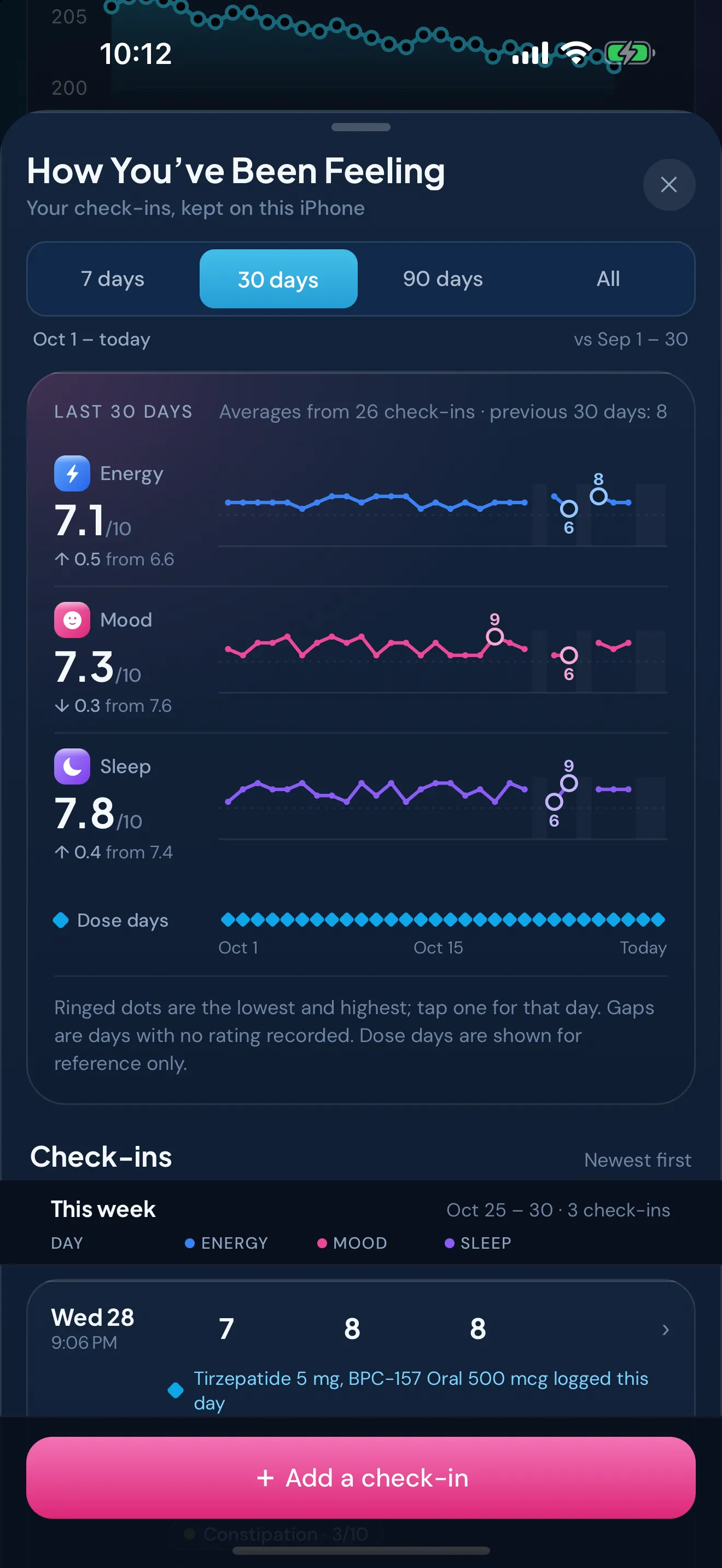
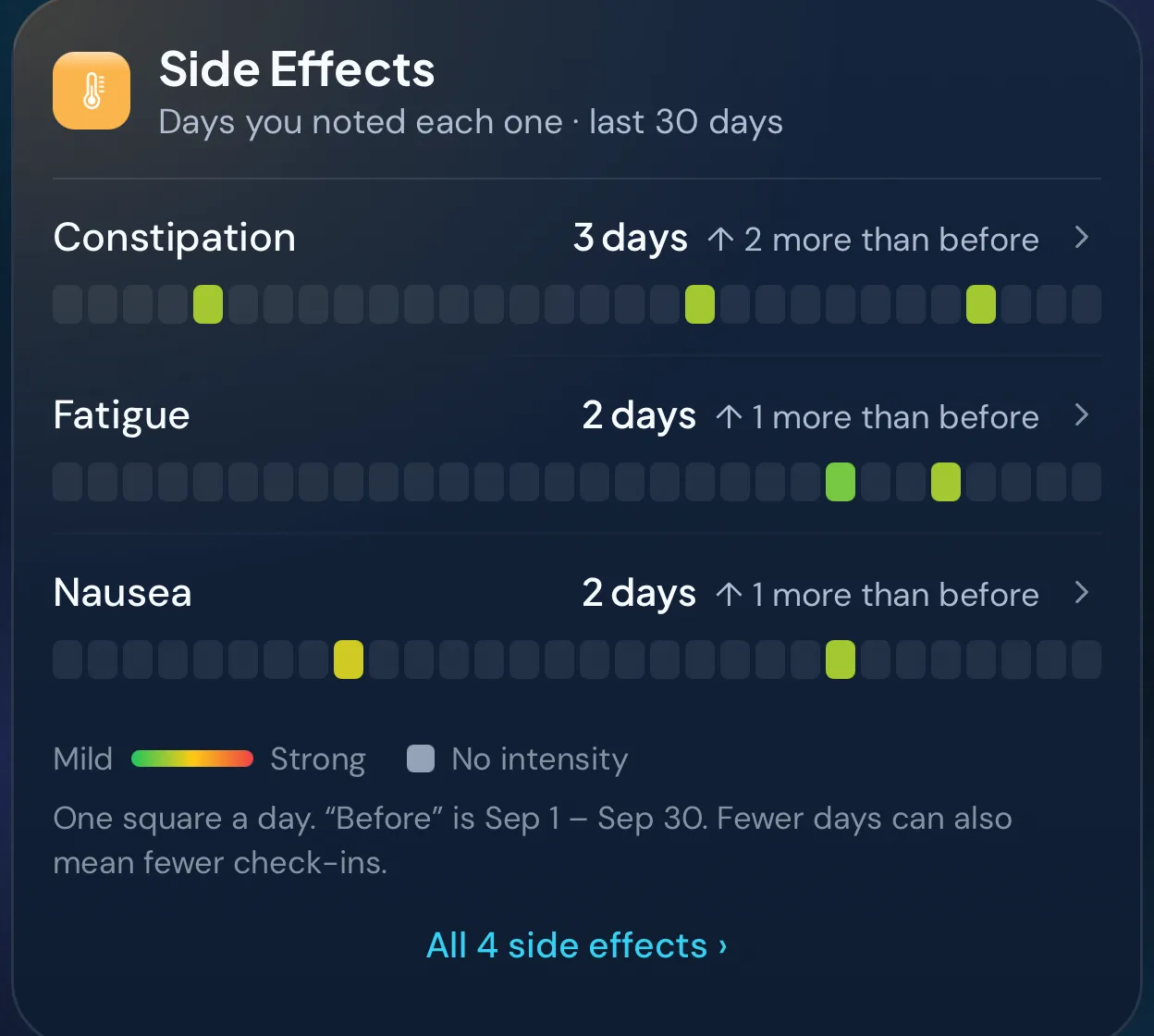
When it's time for an appointment, export your records as a CSV or JSON file. Daily check-ins, with their side effects and notes, are included. What to bring to an appointment covers the rest of the visit.
Peptimes is coming soon to the App Store. It's a tracking app, not medical advice.
Sources
- Peptimes, Help Center, "The Daily Check-in", checked 25 Oct 2026: what a check-in records and how side effects are entered.
- Peptimes, Help Center, "Your Insights, card by card", checked 25 Oct 2026: how Insights shows feelings and side effects.
Coming soon to the App Store
See planned pricing