
How to weigh yourself consistently and read the trend
A single reading tells you what one scale said at one moment, under one set of conditions. To compare readings over time, keep the conditions the same, and look at several weeks of readings together instead of the last one.
This guide covers how to take a reading the same way every time, what to write down alongside it, and how to read a series. What any weight means, or what it should be, is a question for you and your clinician. If your prescriber or clinician has told you how or when to weigh yourself, follow their instructions instead.
Set up once, then leave it alone
- Use one scale. If you weigh on one scale this week and another next week, you can't tell whether a difference came from you or from the scale.
- Put it on a hard, flat floor. The WHO STEPS manual puts the scale on a firm, flat surface and says not to use carpet, a sloping surface or a rough, uneven one. Pick a spot and leave the scale there.
- Zero it first. In the WHO procedure the scale is switched on and the person waits until the display shows 0.0 before stepping on.
- Pick your unit. Pounds or kilograms, and stay with it, so you never compare a number in one unit with a number in the other.
Stand and read it the same way
Both survey manuals treat the weigh-in as a procedure with fixed steps:
- WHO STEPS: footwear and socks off, heavy belts off, pockets emptied of phones, wallets and coins. Step on with one foot on each side of the scale, stand still, face forward, keep your arms at your sides, and wait until you're told to step off.
- CDC NHANES: stand in the center of the platform with your hands at your sides, looking straight ahead, and take the reading once the display has become stable. NHANES treats a weight taken with shoes on as invalid.
At home, that means shoes off, pockets empty, standing still in the middle of the platform, and waiting for the number to settle before you read it.
Same time of day, similar clothing
Neither WHO nor NHANES sets a time of day, so choose one you can repeat. The National Library of Medicine's MedlinePlus gives a routine in its home weighing instructions: weigh on the same scale when you get up, before you eat and after you use the bathroom, wear similar clothing each time, and write the number down. The part that matters for a record is that it's repeatable. First thing in the morning is easy to repeat because it's the same point in your day.
Clothing is part of the conditions too. WHO takes belts and pocket contents out of the weigh-in, and NHANES adds a code to a weight taken in street clothes instead of the standard exam gown. Do the same in your own log: weigh in the same light clothing each time, or note when you didn't.
Write down the conditions
A number on its own can't be compared with the next one. Next to each weigh-in, record:
- the date and time
- the number and its unit
- which scale, and where it was
- what you wore
- whether it was before or after you ate and used the bathroom
- anything that was different from usual (a new scale, a different floor, a trip)
If you change any of these on purpose, write down the date you changed it. Treat readings after the change as a new series instead of a continuation of the old one.
Read a trend, not a reading
Here's how to read a series of weigh-ins so that no single day decides anything.
- Collect several weeks of readings. One reading a day, or a few a week at the same time, for several weeks. A gap is fine. Leave it empty rather than filling it with a guess.
- Look at all of them at once. A chart of the readings in date order shows the direction better than any single number.
- Average each week. Add up that week's readings and divide by how many there are. Weekly averages smooth out the day-to-day spread, so you can compare one week with the next.
- Notice the spread. How far do single readings sit from their weekly average? A change smaller than your usual spread is within the noise of your own readings, so it's not a new direction by itself.
Here's the arithmetic with made-up numbers. Week 1 readings: 180.2, 181.0 and 179.8 lb, which average 180.3 lb. Week 2 readings: 180.6, 179.9 and 180.8 lb, which average 180.4 lb. Within a week the readings are up to 1.2 lb apart, while the two weekly averages are 0.1 lb apart. The weekly averages show a flat series, while two single days picked from different weeks could be more than a pound apart.
A trend shows you what your numbers did. It doesn't say why, and whether a change matters is a question for your clinician.
If a reading looks unexpected, check your conditions first: the floor, the clothing, the time, the scale. Log what you saw and note what was different. Don't throw a reading away because you didn't like it.
How Peptimes helps
Peptimes keeps a weight history. You enter your weight in the Daily Check-in, in pounds or kilograms, and Insights draws a weight trend from the weights you've logged, over a time range you can change. Peptimes keeps one weight per day: if you enter your weight again the same day, the latest one is kept. A check-in's weight is always for today. The Daily Check-in also has a notes field for anything else about your day, which is one place to write down your conditions.
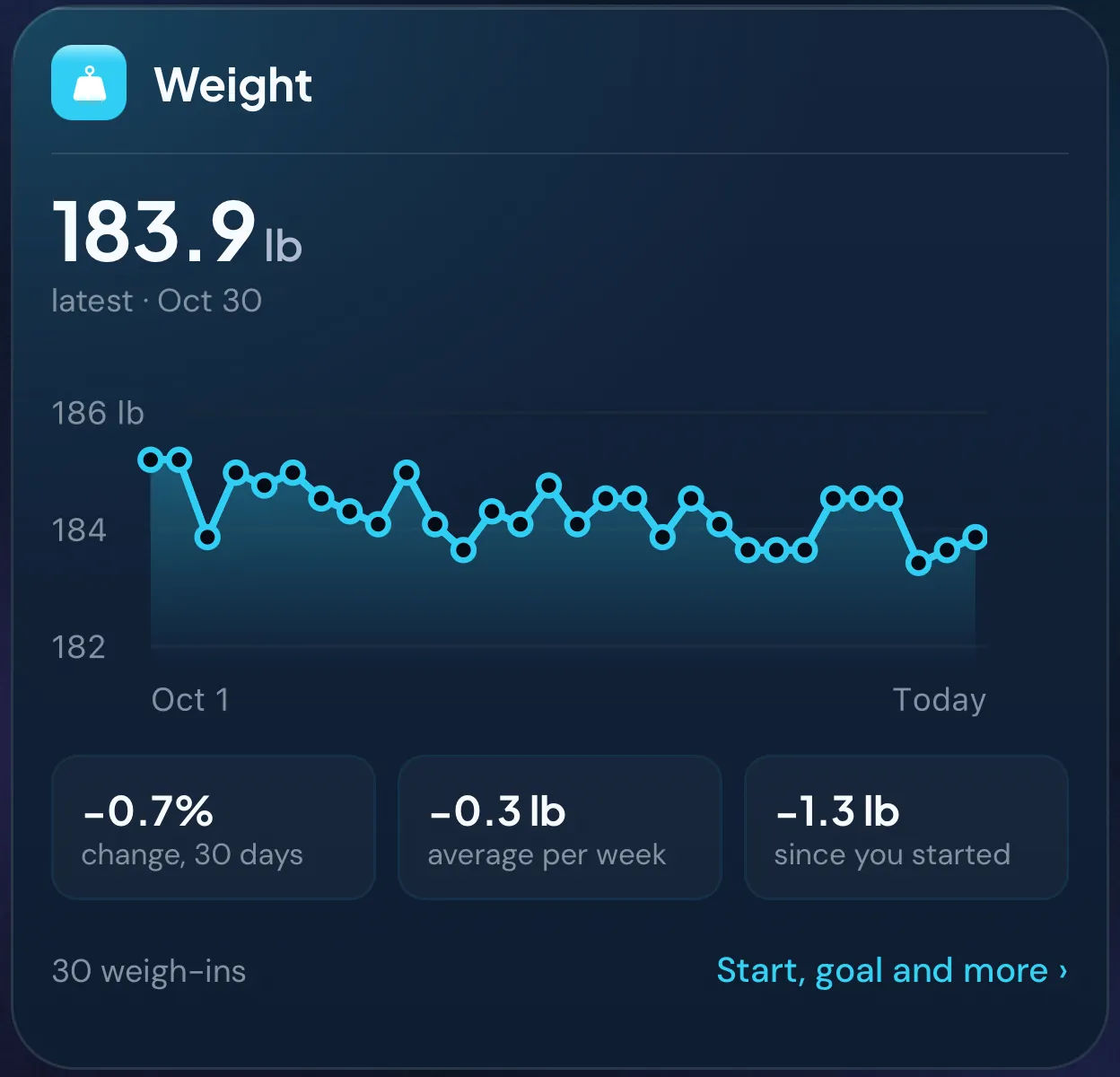
Body Profile shows your latest weight next to the one you started from, and the change since then.
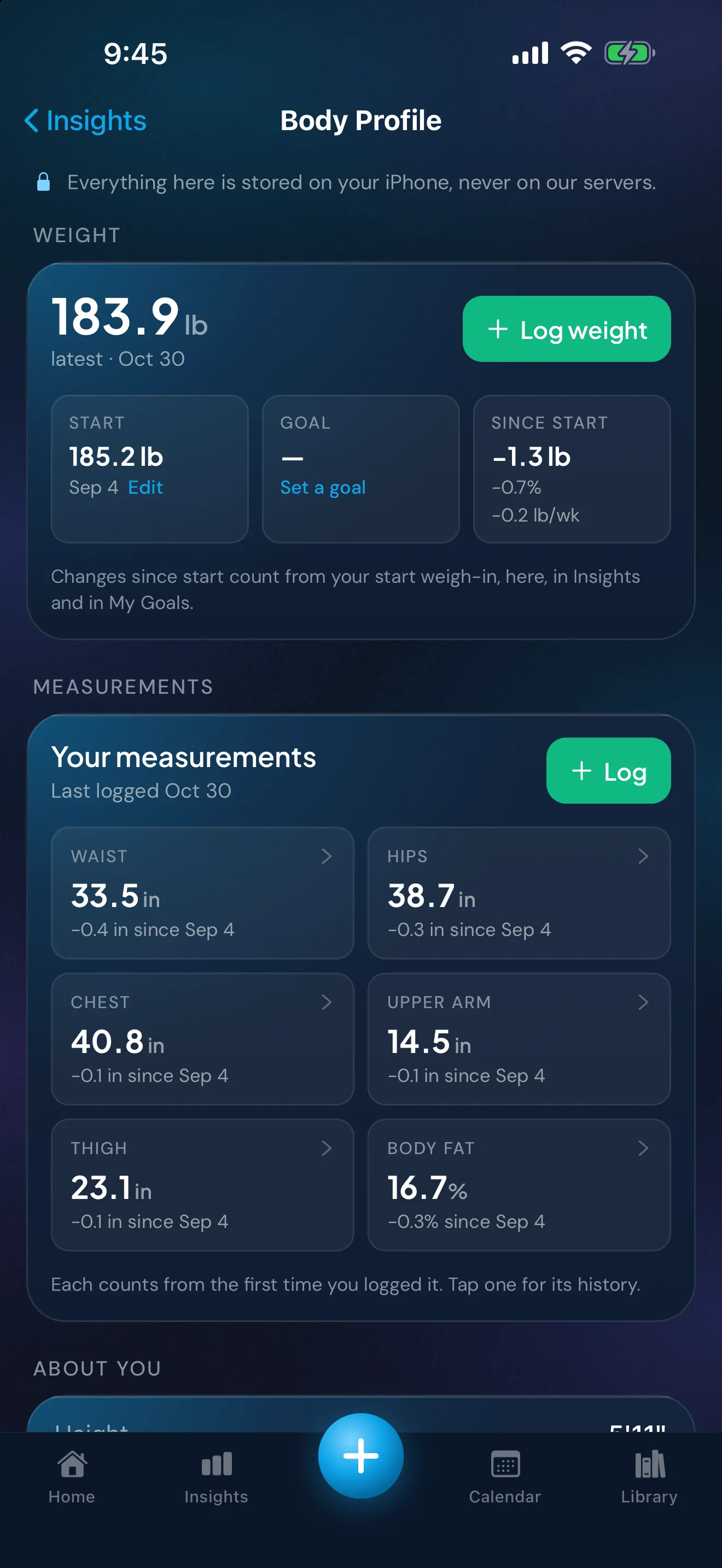
Peptimes records the numbers you enter and doesn't interpret them. Your health records are stored on your iPhone, and you can export them as CSV or JSON. Peptimes doesn't keep a copy of them on its servers, and your records may not come across to a new iPhone, so export a copy first.
If you keep a GLP-1 medication log, the GLP-1 tracker page describes how Peptimes holds weight history with the rest of your records. For tape-measure readings kept to the same standard, see how to measure your waist, hips and chest.
Sources
- World Health Organization, "WHO STEPS Surveillance Manual", Part 3: Data Collection, Section 5: Collecting Step 2 data: Physical Measurements (last updated 26 January 2017), checked 25 Oct 2026: "Measuring Weight" (p. 3-5-9): scale on a firm, flat surface and not on carpet, a sloping or a rough, uneven surface; display reads 0.0; footwear and socks off, heavy belts off, pockets emptied; one foot on each side; stand still, face forward, arms at the sides.
- US Centers for Disease Control and Prevention, National Center for Health Statistics, "National Health and Nutrition Examination Survey (NHANES) Anthropometry Procedures Manual" (May 2021), checked 25 Oct 2026: weight (§3.4.4, p. 3-9): stand in the center of the platform, hands at the sides, looking straight ahead, reading taken once the display is stable, weight with shoes on is invalid; street clothes flagged (§3.4.4 and §3.5.1, p. 3-22).
- US National Library of Medicine, MedlinePlus Medical Encyclopedia, "Heart failure - home monitoring" (content from A.D.A.M., Inc., review date 7/14/2024), checked 25 Oct 2026: weigh on the same scale when you get up, before eating and after using the bathroom; wear similar clothing each time; write the weight down. Cited for the routine only.
- Peptimes, Help Center, "Tracking your weight" and "The Daily Check-in", checked 25 Oct 2026: where weight is entered, one weight per day, notes.
Coming soon to the App Store
See planned pricing